UP Scholarship Status 2026-27: Check Application, Verification & Payment Status
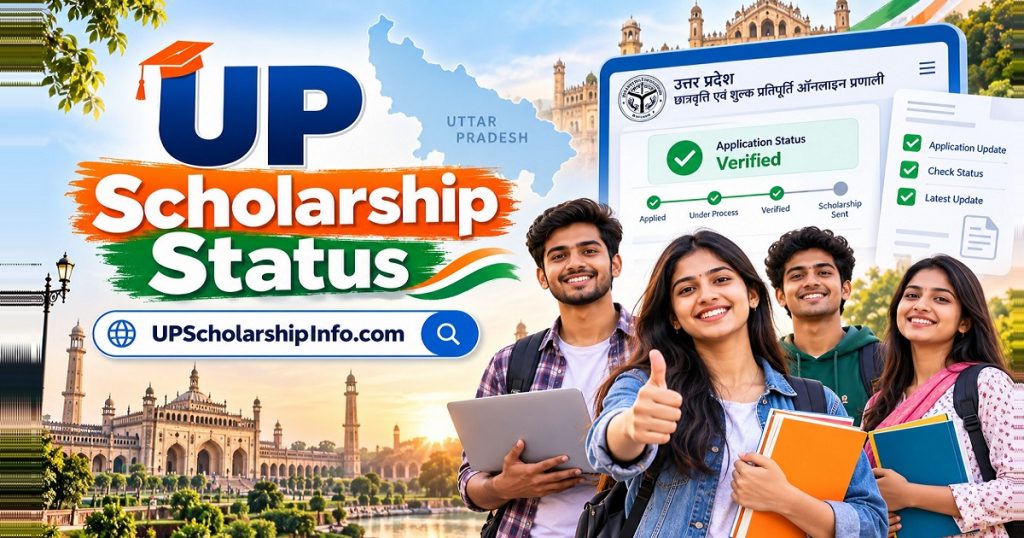
Students can check their UP Scholarship Status 2026-27 online through the official Uttar Pradesh Scholarship Portal. By entering their scholarship registration number and required login details, applicants can track their application progress, including submission, institute verification, district verification, approval and payment processing.
Whether you are a Fresh or Renewal applicant under the Pre-Matric, Post-Matric Intermediate or Dashmottar category, understanding the complete UP Scholarship Scheme 2026-27 can help you learn about eligibility requirements, application procedures and important dates. This guide also explains how to check your application status, understand different verification messages, resolve common status problems and track scholarship payments.
Students who need help completing their applications can follow our detailed UP Scholarship application process guide.
Important: Application approval and scholarship payment are separate stages. Always check your individual application and payment status through the relevant official services.
Latest UP Scholarship Status Updates 2026-27
Last Updated: November 26, 2026
The UP Scholarship 2026-27 application verification and processing activities are continuing under the revised government schedule. Students can check their application status through the official UP Scholarship Portal to see whether their forms have been verified, forwarded for further scrutiny or approved by the concerned authorities.
According to the revised processing schedule issued by the Director of Social Welfare, Uttar Pradesh, on October 22, 2026, Fresh and Renewal applicants under the Dashmottar (Post-Matric Other Than Intermediate) category are following different verification and payment timelines.
Latest UP Scholarship Updates for Renewal Students
| Verification Activity | Scheduled Dates |
|---|---|
| NIC scrutiny | November 6–21, 2026 |
| District committee data locking | November 22–December 2, 2026 |
| Demand generation | December 3–6, 2026 |
| Scheduled fund transfer | December 7–11, 2026 |
Students should check the latest UP Scholarship News 2026-27 for application verification, approval, and payment updates. Also, visit the UP Scholarship Last Date 2026-27 page to stay updated on Fresh and Renewal application deadlines.
Latest UP Scholarship Updates for Fresh Students
Fresh Dashmottar applicants have a separate processing schedule. NIC scrutiny begins on November 26 and continues through December 5, 2026.
| Verification Activity | Scheduled Dates |
|---|---|
| University/affiliating agency verification | Through November 25, 2026 |
| NIC scrutiny | November 26–December 5, 2026 |
| District committee data locking | December 6–15, 2026 |
| Demand generation | December 16–20, 2026 |
| Scheduled fund transfer | December 21–31, 2026 |
What If Your Application Has Errors or Suspicious Data?
Applications identified as suspicious or containing errors may follow a separate verification process instead of the regular processing timeline.
The revised schedule provides additional time for checking and correcting such records before NIC re-scrutiny and further district-level decisions.
For Renewal Applicants:
- Verification and correction of suspicious or defective data: November 22–December 20, 2026.
- NIC re-scrutiny: December 21–31, 2026.
- District committee data locking: January 1–10, 2027.
- Demand generation: January 11–15, 2027.
- Scheduled fund transfer: January 16–25, 2027.
For Fresh Applicants:
- Verification and correction of suspicious or defective data: December 6–31, 2026.
- NIC re-scrutiny: January 1–10, 2027.
- District committee data locking: January 11–20, 2027.
- Demand generation: January 21–25, 2027.
- Scheduled fund transfer: January 27–31, 2027.
What Should Students Do Now?
If your UP Scholarship application is still showing Pending, Under Process or Verification Pending, check the latest remarks displayed on the official portal.
- Confirm whether your educational institution has verified and forwarded your application.
- Contact your college or university if institutional verification is incomplete.
- Check for any suspicious-data or correction-related remarks.
- Keep your Aadhaar-linked bank account active and verify your bank details.
- Check your application status regularly for new updates.
Important: The dates above are from the revised 2026-27 Dashmottar processing schedule. Pre-Matric and Post-Matric Intermediate applicants may follow different schedules.
Students can check their individual application progress through the official portal:
Official Website: https://scholarship.up.gov.in/
How to Check UP Scholarship Application Status
Students who have submitted their UP Scholarship 2026-27 applications can track their progress online through the official Uttar Pradesh Scholarship Portal. The application status helps students understand whether their forms have been submitted, verified by their institutions or forwarded for further scrutiny.
Follow these steps to check your application status:
Step 1: Visit the Official UP Scholarship Portal
Open the official website: https://scholarship.up.gov.in/
Step 2: Open the Student Login Section
Select the Student option and choose the appropriate Fresh or Renewal login according to the application you submitted.
If you are having trouble accessing your student account, read our UP Scholarship Login 2026-27 guide.
Step 3: Enter Your Login Details
Provide the required registration or OTR details and password requested by the relevant login facility. Complete any additional verification displayed on the screen.
Step 4: Access Your Student Dashboard
After successful login, open your scholarship application dashboard. Select the relevant academic session and application details if prompted.
Step 5: Find Your Current Application Status
Look for the Application Status, Current Status or corresponding option available in your dashboard.
Step 6: Review Your Application Progress
Check the latest status and remarks displayed on the portal. Your application may show information about final submission, institute verification, district-level scrutiny, approval or payment processing.
Step 7: Save Your Status Details
Download or print your application status if the portal provides this option. Keep a copy for future reference and follow any instructions displayed by the scholarship authorities.
Important: The application status may change as your form moves through different verification stages. Always follow the instructions and latest information displayed on the official portal.
What Does Your Scholarship Status Mean?
After logging in to the UP Scholarship Portal, students may see different application status messages depending on how far their forms have progressed through verification and processing.
Understanding these messages can help you identify whether your application requires further action or is waiting for the next processing stage.
The following table explains common scholarship status terms in general. The exact wording displayed on the official portal may differ depending on the application category and processing stage.
| Scholarship Status | What It Generally Means | What Should You Do? |
|---|---|---|
| Pending at Institute | Your application is awaiting verification by your school, college or institution. | Contact your institution’s scholarship nodal officer. |
| Verified | The relevant authority has completed a verification stage. | Check whether your application has moved to the next stage. |
| Forwarded | Your application has been sent to another authority for further processing. | Monitor your application for new updates. |
| Under Process | Your application is undergoing further review or processing. | Check the latest remarks and wait for an update. |
| Approved | Your application has received approval at the relevant stage. | Check whether sanction and payment processing are still pending. |
| Rejected | Your application has not been accepted at the relevant stage. | Review the rejection remarks and contact your institution. |
| Payment Sent | Payment has been initiated or forwarded for transfer, depending on the displayed payment message. | Check the payment record and your bank account. |
Important: These descriptions are general explanations, not a guarantee that every term appears exactly as written in the official portal. Always follow the specific status remarks displayed against your application.
Also remember that application verification, final approval, payment processing and actual bank credit are separate stages.
UP Scholarship Payment Status 2026-27
However, application approval and payment transfer are two different stages. Even if your application shows Approved, the scholarship amount may still be awaiting payment processing.
The payment schedule can vary depending on the scholarship category, Fresh or Renewal application type, verification progress and applicable government instructions. Therefore, students should check their individual payment records instead of relying only on expected payment dates.
Where Can You Check UP Scholarship Payment Status?
Students can use the following official platforms for relevant information:
- UP Scholarship Portal: Check your application, verification and available payment-related updates at https://scholarship.up.gov.in/
- PFMS – Know Your Payment: Check transaction-wise payment information available through the Government of India’s Public Financial Management System at https://pfms.nic.in/
Important: PFMS displays payment transaction information where available. It does not replace the UP Scholarship Portal for checking application verification or approval.
How to Check Status by Registration Number?
Students can use their UP Scholarship registration number to access their application details and track their scholarship progress through the official Uttar Pradesh Scholarship Portal.
The registration number is linked to a particular scholarship application and academic session. Depending on the portal facility, students may also need their password, date of birth or other login information.
If you have forgotten your registration number, check our guide on UP Scholarship Forgot Registration Number to recover it. You can also use the UP Scholarship Final Print guide to access and reprint your application details.
Follow these steps:
- Visit the official UP Scholarship website: https://scholarship.up.gov.in/
- Open the Student section.
- Select the relevant Fresh or Renewal login.
- Enter your scholarship registration number and other required login details.
- Complete the verification process, if requested.
- Open your student dashboard and locate your submitted application.
- Review the latest application status and remarks.
Where Can I Find My UP Scholarship Registration Number?
If you have forgotten your registration number, check these places:
- Registration Slip: Check the confirmation slip generated during registration.
- Application Form: Open your previously submitted scholarship application.
- Final Application Printout: Look for the registration details on your downloaded application.
- Saved PDF: Search your computer or mobile phone for your scholarship application PDF.
- SMS Messages: Check whether you received a registration confirmation message.
- Previous Records: Review documents or screenshots saved during your previous scholarship application.
If you still cannot find your registration number, use the available recovery facility on the official portal or contact your institution’s scholarship nodal officer.
Important: Your scholarship registration number and OTR number are different. An OTR number does not automatically replace the scholarship registration number for every application-status service.
Can I Check My UP Scholarship Status Using an OTR Number?
The One-Time Registration (OTR) number and UP Scholarship registration number serve different purposes. Although both are connected to a student’s scholarship application process, they should not be treated as interchangeable.
An OTR number identifies a student’s One-Time Registration record, while a scholarship registration number identifies an application submitted for a particular academic session.
| OTR Number | Scholarship Registration Number |
|---|---|
| Created during One-Time Registration. | Generated during the scholarship application registration process. |
| Identifies the student’s OTR record. | Identifies a specific scholarship application. |
| Used for the applicable OTR-related services. | Used to access relevant scholarship application records. |
| Does not automatically replace the application number. | Helps identify the submitted scholarship application. |
Can You Check Scholarship Status Directly Using OTR?
Students should not assume that entering an OTR number alone will display their complete UP Scholarship application or payment status.
To check your application progress:
- Visit the official UP Scholarship Portal: https://scholarship.up.gov.in/
- Open the relevant Student login section.
- Select Fresh or Renewal, as applicable.
- Enter the login information requested by the portal.
- Access your application dashboard and review the available status information.
If you have not completed your OTR registration, first understand the registration process and its requirements.
For detailed instructions, read our guide on UP Scholarship OTR Registration 2026-27.
If you have forgotten your OTR number, visit our UP Scholarship Forgot OTR Number guide.
Important: OTR registration does not automatically mean that your scholarship application has been submitted. You must complete the applicable scholarship application process separately.
UP Scholarship Fresh and Renewal Status 2026-27
The UP Scholarship Portal provides separate application facilities for Fresh and Renewal students. Both types of applicants can track their scholarship progress online, but their application records, eligibility checks and processing schedules may differ.
Students should select the correct application category when checking their UP Scholarship Status 2026-27.
UP Scholarship Fresh Application Status 2026-27
Fresh applicants are students applying for a UP Scholarship for the first time under the relevant scholarship category.
After submitting their applications, students can check their progress through the official UP Scholarship Portal.
A Fresh scholarship application may pass through the following stages:
- Fresh Registration: The student completes the required registration process.
- Application Form Completion: Personal, academic, income and other required details are entered.
- Final Application Submission: The completed application is submitted through the portal.
- Institute Verification: The school, college or university checks the application and supporting information.
- Further Verification: The application may undergo district, university or departmental checks, depending on the category.
- Technical Scrutiny: Relevant authorities may review application records and identify errors or discrepancies.
- Approval and Sanction: Eligible applications proceed through the applicable approval process.
- Payment Processing: Approved and sanctioned applications may move to payment processing.
- Scholarship Credit: The amount is transferred to the eligible student’s bank account after the required payment procedures.
Fresh Students: Students applying for the first time can follow our UP Scholarship Apply Online 2026-27 guide for step-by-step application instructions.
How to Check Fresh Application Status?
- Visit https://scholarship.up.gov.in/.
- Select the relevant Fresh student login.
- Enter your required registration and login details.
- Open your student dashboard.
- Check your application progress and the latest remarks.
Important: Fresh registration alone does not mean that your scholarship application has been finally submitted. Make sure you complete the application and final submission requirements.
Renewal Students: Students continuing their scholarship can read our UP Scholarship Renewal guide 2026-27 to understand the renewal process and requirements.
UP Scholarship Renewal Status 2026-27
Renewal applicants are students who previously received or applied for a scholarship and are eligible to continue under the applicable renewal process.
Students should use the Renewal login facility rather than creating a Fresh application when renewal is applicable.
A Renewal application may involve the following stages:
- Renewal Application: The student selects the appropriate Renewal option and accesses the application.
- Previous Scholarship Record: Relevant previous scholarship information is checked.
- Current Academic Details: Students provide their latest academic, course and institution information.
- Application Submission: The completed renewal form is submitted through the portal.
- Institute Verification: The educational institution verifies the submitted information.
- Further Scrutiny: The application may undergo district, departmental or technical checks.
- Approval and Sanction: The application proceeds through the applicable approval process.
- Payment Processing: Eligible and approved applications move to the payment stage.
How to Check Renewal Application Status?
- Open the official UP Scholarship Portal.
- Select the appropriate Renewal login.
- Enter your required login credentials.
- Access your renewal application dashboard.
- Review the latest verification and application status.
If your Renewal application shows Pending, check the remarks and contact your institution’s scholarship nodal officer if institutional verification is incomplete.
Important: Fresh and Renewal applicants may follow different processing schedules. Always check the official notification applicable to your scholarship category.
Pre-Matric, Post-Matric and Dashmottar Scholarship Status
The UP Scholarship 2026-27 scheme covers students studying at different educational levels. Applicants should select the correct scholarship category when checking their application progress because verification requirements and processing schedules may vary.
The three main education-level categories are Pre-Matric, Post-Matric Intermediate and Post-Matric Other Than Intermediate (Dashmottar).
UP Pre-Matric Scholarship Status 2026-27
The UP Pre-Matric Scholarship generally covers eligible students studying in Classes 9 and 10.
Students who have submitted their Pre-Matric applications can check their progress through the official UP Scholarship Portal.
The application may go through the following stages:
- Application submission.
- School-level verification.
- District-level scrutiny, where applicable.
- Further eligibility and document checks.
- Approval and payment processing.
What If Your Pre-Matric Status Shows Pending?
If your application remains pending at the school verification stage, contact your school’s scholarship office to confirm whether your application and supporting documents have been checked.
Also verify that:
- Your application was finally submitted.
- Your personal and academic details are correct.
- Your school has completed the required verification.
- No correction or additional document is requested.
Students should follow the applicable Pre-Matric processing schedule rather than relying on Dashmottar deadlines.
Pre-Matric Students: Students studying in Classes 9 and 10 can read our UP Pre-Matric Scholarship 2026-27 guide for eligibility and application details.
UP Post-Matric Intermediate Scholarship Status 2026-27
The Post-Matric Intermediate category generally covers eligible students studying in Classes 11 and 12.
Applicants can check their application progress through the relevant Fresh or Renewal login on the official UP Scholarship Portal.
During verification, the concerned authorities may review:
- School and admission details.
- Current academic information.
- Course and class details.
- Family income and eligibility information.
- Supporting documents.
- Other information required under the applicable scheme.
What If Your Post-Matric Intermediate Status Is Pending?
When your application shows Pending, first check the latest remarks available on the portal.
For incomplete school-level verification, contact your institution’s scholarship nodal officer. Applications that have moved to another verification stage should follow the instructions provided by the relevant authority.
Do not assume that a Pending status means your application has been rejected.
UP Post-Matric Other Than Intermediate (Dashmottar) Status 2026-27
The Post-Matric Other Than Intermediate category, commonly known as Dashmottar, generally covers eligible students pursuing education beyond Class 12.
Depending on the applicable scholarship scheme, eligible programmes may include:
- Undergraduate courses such as BA, BSc and BCom.
- Postgraduate courses such as MA, MSc and MCom.
- Professional programmes such as BTech and MBA.
- Eligible diploma and polytechnic programmes.
- Other recognised higher-education and technical courses.
Students can check their Dashmottar application status through the relevant Fresh or Renewal login on the official UP Scholarship Portal.
The application may require different levels of verification, including:
- Institute verification.
- University or affiliating agency verification, where applicable.
- Technical scrutiny.
- District-level review.
- Approval and sanction.
- Payment processing.
What If Your Dashmottar Status Is Pending?
Dashmottar applicants should check whether their institution or university has completed the required verification.
If your application is awaiting university or institutional verification, contact the concerned scholarship office for clarification.
Some Dashmottar applications may also undergo additional scrutiny or correction procedures according to the revised government schedule.
For 2026-27, Fresh and Renewal applicants may follow different processing timelines. Always refer to the latest official notification applicable to your application category.
Post-Matric Students: Students studying in Classes 11, 12, graduation, or higher education can visit our UP Post-Matric Scholarship 2026-27 guide for relevant information.
Important: Pre-Matric, Post-Matric Intermediate and Dashmottar applications do not necessarily follow identical verification or payment schedules. Always check your individual application remarks and the applicable government timetable.
UP Scholarship Verification Status: All Stages Explained
Verification is an important part of the UP Scholarship 2026-27 application process. After submitting an application, students may need to pass through different verification and scrutiny stages before their applications can proceed towards approval and payment.
The verification process may involve educational institutions, universities, district authorities and the concerned scholarship department. The exact stages depend on the scholarship category and applicable government instructions.
Below is an explanation of the major verification stages that students may encounter while checking their UP Scholarship Status.
1. Institute Verification
Institute Verification is the process in which the student’s school, college or university checks the information provided in the scholarship application.
The institution may review:
- Student admission and enrollment details.
- Current course and academic information.
- Fee and educational details.
- Previous academic records, where required.
- Supporting documents.
- Other eligibility information required under the scheme.
What If Your Application Shows Pending at Institute Level?
If your application is awaiting institute verification:
- Contact your school’s or college’s scholarship nodal officer.
- Confirm whether your application has been received.
- Ask whether any document or information is missing.
- Follow the institution’s instructions for completing verification.
Institute verification does not mean that the scholarship has received final approval.
2. District Verification
District Verification involves the examination of scholarship applications by the relevant district-level authorities or committees, wherever applicable.
The authorities may review:
- Student and application details.
- Eligibility information.
- Institution verification records.
- Supporting documents.
- Discrepancies identified during earlier checks.
What If Your Application Shows Pending at District Level?
First, check the latest remarks available on the official portal.
If your application has already been forwarded by your institution, the district-level authority may still need time to complete its review.
Contact your institution’s scholarship office or the relevant district scholarship department if clarification is required.
District verification does not automatically mean that the scholarship amount has been approved or released.
3. Department Verification
Department Verification refers to further examination of scholarship applications by the concerned government department or authorised officials.
Depending on the scholarship category, the department may review application information, eligibility, verification records and other required details.
What If Your Status Shows Pending at Department Level?
A pending department-level status does not automatically mean that your application has been rejected.
The application may still be undergoing scrutiny or awaiting further administrative action.
Students should:
- Check the latest application remarks.
- Confirm that no correction or additional document is required.
- Monitor their application for new updates.
- Contact the relevant scholarship office if the status remains unresolved.
4. NIC Scrutiny
NIC stands for the National Informatics Centre. It provides technical support for government information systems and may be involved in technical scrutiny of scholarship application data under the applicable processing arrangements.
During scrutiny, application records may be examined for inconsistencies, errors or suspicious information requiring further review.
If an application is identified for additional checking, it may require clarification, correction or re-scrutiny according to the official instructions.
What Should Students Do During NIC Scrutiny?
- Check the application remarks regularly.
- Review any correction instructions displayed on the portal.
- Provide the required information through the authorised correction process, if available.
- Follow the applicable government schedule.
NIC scrutiny does not itself mean that an application has been finally approved or rejected.
5. Final Approval and Sanction
Final Approval and Sanction refer to the relevant administrative approval stages through which eligible scholarship applications proceed.
After the required verification and scrutiny, applications may be considered by the authorised officials or committees under the applicable scheme.
Students should understand the difference between verification and approval:
- Verified: A particular verification stage has been completed.
- Forwarded: The application has moved to another authority or processing stage.
- Approved: The application has received approval at the relevant stage.
- Sanctioned: The scholarship amount or assistance has been authorised under the applicable process.
Does Approved Mean the Scholarship Money Has Been Credited?
No. Application approval and actual payment credit are separate processes.
Even after approval or sanction, payment-related processing and bank transfer procedures may still need to be completed.
6. Payment Processing
Payment Processing is the stage in which an approved and eligible scholarship payment moves through the applicable government payment procedures.
Scholarship amounts may be transferred through the Direct Benefit Transfer (DBT) system to the eligible student’s bank account.
Before the amount is credited, payment-related checks may include:
- Bank account details.
- Beneficiary information.
- Account validity.
- Applicable Aadhaar and bank-seeding requirements.
- Payment processing and transaction status.
What If Your Application Is Approved but Payment Is Pending?
If your application has been approved but the amount has not arrived:
- Check the latest payment information on the UP Scholarship Portal.
- Verify your bank account details.
- Confirm applicable Aadhaar-bank seeding requirements with your bank.
- Check available payment transaction information through PFMS.
- Contact your institution or the relevant scholarship office if the payment remains unresolved.
Important: Payment processing is not the same as payment credit. Always confirm the actual transaction through your bank account statement or available official payment records.
Students can check their application and payment-related information through the official portal:
https://scholarship.up.gov.in/
They may also use the Government of India’s PFMS service where the relevant payment transaction is available.
Students should ensure they meet all requirements before completing document verification. Check the UP Scholarship Documents Required guide for the necessary documents and review the UP Scholarship Eligibility Criteria to confirm your eligibility.
Common UP Scholarship Status Messages and Their Meaning
While checking your UP Scholarship Status 2026-27, you may encounter different messages related to application submission, institutional verification, district-level scrutiny, approval and payment processing.
Each status indicates a particular stage of your scholarship application. Understanding these messages can help you determine whether your application is progressing normally or requires further attention.
The following table explains commonly reported UP Scholarship status terms and the actions students can take.
| Status Message | Meaning | What You Should Do |
|---|---|---|
| Finally Submitted | Your online application has reached the final submission stage. | Keep your application record and monitor verification. |
| Verified by Institute | Your educational institution has completed its verification. | Monitor the next applicable processing stage. |
| Forwarded | Your application has been forwarded by the concerned authority for further processing. | Check for subsequent verification updates. |
| Pending | Your application is awaiting a decision or further processing. | Read the remarks and contact your institution if necessary. |
| Verified by District Committee | District-level verification or recommendation has been recorded. | Monitor further approval and payment updates. |
| Due for Renewal | Renewal-related action may be required for the applicable academic session. | Check the renewal instructions and your eligibility. |
| Blocked by Directorate | The application has encountered a restriction or block at the directorate level. | Check the exact remarks and contact the concerned scholarship office. |
| Rejected | The application has been rejected at the relevant stage. | Review the recorded reason and available remedies. |
| Payment Processing | Payment-related procedures are underway. | Monitor the transaction and payment information. |
| Payment Credited | The scholarship amount is reported as credited. | Confirm the transaction in your bank statement. |
Important: These are explanatory descriptions of commonly encountered scholarship terms. Exact portal wording and processing stages can vary. Always rely on the status and remarks displayed against your individual application.
What Does Pending Mean in UP Scholarship Status?
If your UP Scholarship Status shows Pending, it generally means that your application is awaiting verification, review or another required processing action.
A pending status does not automatically mean that your scholarship application has been rejected.
Possible reasons for a Pending Status
- Institute verification has not been completed.
- District-level scrutiny is still underway.
- Department verification is pending.
- Technical scrutiny is in progress.
- Additional documents or information require checking.
- The application is awaiting an administrative decision.
What Should You Do If Your Application Shows Pending?
- Log in to the official UP Scholarship Portal.
- Open your submitted application.
- Check the latest status and remarks.
- Identify which authority or verification stage is pending.
- Contact your institution’s scholarship nodal officer if institutional verification is incomplete.
- Follow any correction or additional-document instructions issued by the concerned authority.
Avoid submitting another application simply because the existing one is showing Pending.
What Does Blocked by Directorate Mean?
Blocked by Directorate indicates that an application has encountered a block or restriction at the directorate level.
This status should be taken seriously because the application may require further examination or action by the concerned authority.
However, the status alone does not establish the exact reason for the block.
What Should You Do If Your Application Shows Blocked by Directorate?
- Log in and read the complete application remarks.
- Check whether the portal mentions a specific discrepancy or verification issue.
- Contact your institution’s scholarship nodal officer.
- Ask the relevant scholarship authority for clarification if the reason is not available.
- Follow only the correction or review instructions officially provided.
Do not assume that a blocked application has been permanently rejected. Its actual outcome depends on the reason and the decision of the concerned authority.
What Does Verified by Institute Mean?
Verified by Institute means that your school, college or university has completed its institutional verification of the scholarship application.
The institution may have checked the student’s admission information, academic records, course details and other required information.
However, institute verification is not the same as final scholarship approval.
What Happens After Institute Verification?
Depending on the scholarship category and applicable processing procedure, the application may move to further verification, scrutiny or district-level review.
What Should You Do?
- Check whether your application has been forwarded.
- Monitor the next status update.
- Keep your application and supporting documents available.
- Contact your institution if the portal continues to show an unexpected or incomplete status.
Remember that institute verification alone does not guarantee scholarship payment.
What Does Verified by District Committee Mean?
Verified by District Committee generally indicates that the application has completed a district-level verification or recommendation stage.
Some scholarship records use wording such as Verified/Recommended by District Scholarship Committee.
This is an important processing update, but students should not automatically interpret it as confirmation that the scholarship amount has been credited.
What Happens After District Committee Verification?
The application may still require further administrative action, data locking, approval, sanction or payment processing, depending on the applicable scholarship procedure.
What Should You Do After District Verification?
- Check your latest application remarks.
- Monitor any further approval or sanction updates.
- Check payment information separately.
- Confirm the actual credit through your bank account statement.
Important: A district-level verification or recommendation and an actual scholarship payment are separate events. Always check the latest official record before assuming that your payment has been released.
What to Do If Your Application Is Rejected?
If your UP Scholarship Status 2026-27 shows Rejected, do not immediately assume that you have lost your scholarship opportunity. First, check the rejection remarks displayed on the official UP Scholarship Portal to understand why your application was not accepted.
The reason may relate to incorrect personal information, eligibility requirements, academic records, supporting documents or other verification issues.
However, the available remedy depends on the reason for rejection and the instructions issued by the concerned scholarship authorities.
Common Reasons for UP Scholarship Application Rejection
Your scholarship application may be rejected for reasons such as:
- Incorrect Personal Information: Differences in your name, date of birth or other personal details may create verification problems.
- Income Certificate Issues: An invalid, expired or incorrect income certificate may affect eligibility verification.
- Caste Certificate Problems: Incorrect or unverifiable caste certificate information may cause issues where the certificate is required.
- Aadhaar Information Mismatch: Differences between Aadhaar information and application records may require further verification.
- Incorrect Bank Details: An incorrect account number, IFSC code or beneficiary information may affect payment-related processing.
- Academic Record Discrepancies: Incorrect course, admission, marks or previous academic information may create verification problems.
- Incomplete Application: Missing information or incomplete application submission may prevent the application from progressing.
- Duplicate Application: Multiple applications or conflicting records may require examination by the concerned authorities.
- Eligibility Issues: The applicant may not meet one or more requirements of the applicable scholarship scheme.
These are possible reasons for application problems, not a confirmed list of rejection codes. Always check the actual reason recorded against your application.
How to Check Why Your UP Scholarship Application Was Rejected
Follow these steps:
- Visit the official UP Scholarship Portal: https://scholarship.up.gov.in/
- Open the relevant Fresh or Renewal student login.
- Enter your required registration and login details.
- Access your submitted scholarship application.
- Find the current status and available remarks.
- Read the rejection reason or instructions displayed on the portal.
- Save the relevant details for reference when contacting your institution.
If the portal does not display a clear rejection reason, contact your institution’s scholarship nodal officer or the concerned scholarship department.
Can I Correct a Rejected UP Scholarship Application?
A correction opportunity depends on the application category, current processing stage and official instructions.
If the government announces a correction window applicable to your application, you may be allowed to update specific details and complete the required resubmission process.
However, not every rejected application can automatically be reopened or corrected.
Before attempting any changes:
- Check whether a correction facility is available.
- Read the applicable government notification.
- Confirm which details can be corrected.
- Follow the specified deadline.
- Complete any required resubmission or document verification.
If no correction option is available, contact the concerned scholarship authority to understand whether any further action is permitted.
What Should You Do If Your Application Is Blocked Instead of Rejected?
A Blocked by Directorate status should not automatically be treated as a final rejection.
First, review the application remarks to identify whether the authorities have requested additional information, verification or clarification.
Contact your institution’s scholarship nodal officer if the reason is unclear. Follow the instructions provided by the concerned authority rather than submitting another application.
Important Advice for Rejected Applicants
- Do not create a duplicate scholarship application to bypass rejection.
- Do not submit incorrect information to make your application eligible.
- Keep your original certificates and application records available.
- Follow only officially announced correction or review procedures.
- Save updated application records whenever a permitted correction is completed.
Students whose applications are rejected should read our UP Scholarship Correction Guide 2026-27 to understand how to fix application errors. For rejections related to income documents, visit the UP Scholarship Income Certificate guide for further assistance.
UP Scholarship Payment Status 2026-27: How to Check?
Students can check their UP Scholarship Payment Status 2026-27 to find out whether their scholarship amount has moved through the required payment procedures or has been credited to their bank account.
Payment tracking is different from application-status checking. Even if your scholarship application shows Approved or Sanctioned, the amount may still be awaiting payment processing or bank transfer.
Follow these steps to check your scholarship payment information:
- Visit the official UP Scholarship Portal: https://scholarship.up.gov.in/
- Open the relevant Fresh or Renewal student login.
- Enter the login details requested by the portal.
- Access your submitted scholarship application.
- Review the available approval, sanction and payment-related information.
- If payment transaction details are available, note the transaction status and reference information.
- Check your bank account statement to confirm whether the scholarship amount has actually been credited.
Students can track their scholarship funds through the UP Scholarship Payment Status 2026-27 guide. For expected payment dates, check UP Scholarship Kab Tak Aayega 2026-27. Students should also complete the required UP Scholarship eKYC to avoid bank and Aadhaar-related payment issues.
Can I Check UP Scholarship Payment Status Through PFMS?
Yes, students may use the Public Financial Management System (PFMS) to check eligible government payment transactions when their scholarship payment information is available in the system.
PFMS is a Government of India platform used for monitoring and tracking government fund transactions.
How to Check Payment Through PFMS
- Visit the official PFMS website: https://pfms.nic.in/
- Find the Know Your Payment service.
- Open the payment enquiry facility.
- Enter the information requested by the official PFMS page.
- Complete the displayed verification process.
- Submit your details to check the available transaction information.
If a relevant payment record is available, review its transaction details and payment status.
Important: PFMS payment information does not replace the UP Scholarship Portal. Use the scholarship portal to check application verification and approval, and PFMS to check eligible payment transactions. A missing PFMS record alone does not prove that your scholarship application has been rejected.
Why Has My UP Scholarship Payment Not Been Received?
If your application has been approved but the scholarship amount has not reached your bank account, several processing or banking issues may need to be checked.
Possible reasons include:
- Payment sanctioning is still pending.
- Government payment processing is underway.
- Bank account information requires verification.
- The bank account is inactive or closed.
- Aadhaar-bank seeding or NPCI mapping requirements are incomplete, where applicable.
- The payment transaction has failed or been returned.
- The payment has been processed but has not yet appeared in your account.
What Should You Do If Your Payment Is Delayed?
- Check the latest payment-related remarks on the UP Scholarship Portal.
- Verify your bank account number and IFSC code.
- Confirm that your bank account is active.
- Check applicable Aadhaar seeding and NPCI mapping requirements with your bank.
- Review available payment transaction details through PFMS.
- Contact your bank or institution’s scholarship nodal officer if the issue remains unresolved.
Do not assume that an approved application guarantees an immediate bank transfer. The actual payment depends on the completion of the applicable processing procedures.
How to Check Aadhaar Seeding and Bank Status?
Students receiving scholarships through Aadhaar-based Direct Benefit Transfer (DBT) should understand the difference between Aadhaar-bank linking and NPCI mapper seeding.
Aadhaar-bank linking connects the student’s Aadhaar information with a bank account.
How to Check Aadhaar Seeding Status
Students can use the UIDAI MyAadhaar service to check their available bank-seeding information.
Follow these steps:
- Visit https://myaadhaar.uidai.gov.in/
- Access the Bank Seeding Status service.
- Complete the authentication requested by UIDAI.
- Review the bank-seeding information displayed.
What Bank Details Should You Verify?
- Correct bank account number.
- Correct IFSC code.
- Account holder information.
- Active bank account status.
- Aadhaar linking, where required.
- NPCI mapper status, where applicable.
If your Aadhaar seeding or NPCI mapping information is incorrect or unavailable, contact your bank for assistance.
Important: Aadhaar-bank linking and NPCI mapper status are not interchangeable. Confirm the requirements applicable to your scholarship payment and check your actual bank transaction before concluding that a payment has failed.
UP Scholarship Kab Tak Aayega 2026-27?
Students waiting for the UP Scholarship 2026-27 amount want to know when the government will transfer the scholarship money to their bank accounts. The payment timeline depends on the applicant’s scholarship category, Fresh or Renewal status, verification progress and successful completion of payment procedures.
For Dashmottar (Post-Matric Other Than Intermediate) applicants, the revised 2026-27 timetable provides separate payment windows for Fresh and Renewal students.
Expected UP Scholarship Payment Dates 2026-27
The following table summarises the reported Dashmottar payment schedule:
| Applicant Category | First Payment Window | Subsequent Payment Window |
|---|---|---|
| Dashmottar Renewal | December 7–11, 2026 | January 16–25, 2027 |
| Dashmottar Fresh | December 21–31, 2026 | January 27–31, 2027 |
The first payment windows relate to applications progressing through the clean-data processing route. The subsequent windows relate to applications requiring additional scrutiny, correction and reprocessing.
Will Every Student Receive the Scholarship on These Dates?
No. These dates represent scheduled payment windows, not guaranteed bank-credit dates for every applicant.
The actual transfer depends on:
- Completion of the required application verification.
- Successful eligibility and document checks.
- Approval and data locking by the concerned authorities.
- Completion of payment demand and processing.
- Successful bank transfer through the applicable DBT process.
Students whose applications require additional verification or correction may receive their scholarship in a later payment phase, if approved.
What Should Students Do While Waiting for Scholarship Payment?
If you have not received your scholarship amount, take the following steps:
- Check your latest application status on the UP Scholarship Portal.
- Confirm that your institution has completed the required verification.
- Review any suspicious-data or correction-related remarks.
- Verify your bank account and applicable Aadhaar seeding requirements.
- Check available payment transaction information through PFMS.
- Contact your institution’s scholarship nodal officer if your application or payment remains unresolved.
Important: The above payment dates relate to the Dashmottar schedule. Pre-Matric and Post-Matric Intermediate students should follow their respective category-specific timetables. Do not assume that the Dashmottar payment dates apply to every UP Scholarship applicant.
Always check the latest updates on the official website: https://scholarship.up.gov.in/
How to Check UP Scholarship Status Without a Registration Number?
Students who have forgotten their UP Scholarship registration number may face difficulties checking their application progress online. However, you can first try to recover your existing registration details using your previous scholarship documents, saved messages or institutional records.
The official UP Scholarship Portal may require your registration number or other application details to access the relevant student services. Therefore, recovering your original registration number is usually the best first step.
Where Can I Find My UP Scholarship Registration Number?
If you cannot remember your registration number, check these sources:
- Original Registration Slip: Open the registration acknowledgement or slip generated when you registered for the scholarship.
- Submitted Application Form: Check your final submitted application printout. Your registration details may appear on the form.
- Downloaded Application PDF: Search your phone or computer for previously saved UP Scholarship application documents.
- SMS Confirmation: Check the mobile number used during registration for scholarship-related confirmation messages.
- School or College Records: Contact your institution’s scholarship department and ask whether it can help locate your previous application record.
Make sure that the recovered number belongs to the correct academic session.
Can I Check UP Scholarship Status Using an OTR Number?
The One-Time Registration (OTR) number and scholarship registration number are different identifiers.
- OTR Number: Identifies your One-Time Registration record.
- Scholarship Registration Number: Identifies your scholarship registration or application record for the relevant academic session.
Do not assume that an OTR number can replace your scholarship registration number in every status-checking facility.
If you have forgotten your OTR number, use the relevant OTR recovery option available on the official portal.
Can I Check UP Scholarship Status Using My Name or Mobile Number?
A name-only or mobile-number-only method for checking complete scholarship application status should not be assumed to be available.
Your registered mobile number may help you locate an earlier confirmation SMS or complete identity verification where an official recovery facility supports it.
If you cannot find your registration number through these methods, check your previous application documents or contact your institution.
What Should I Do If I Cannot Recover My Registration Number?
If you have checked your documents and messages but still cannot find your registration number, follow these steps:
- Visit the official UP Scholarship Portal: https://scholarship.up.gov.in/
- Open the relevant Student section.
- Check the available registration or account-recovery instructions.
- Select the appropriate Fresh or Renewal category when required.
- Contact your school’s or college’s scholarship nodal officer if the number remains unavailable.
- Provide the academic session and other information requested to help locate your existing application.
Important: Do not create another scholarship registration simply because you have forgotten your existing number. First try to recover your original application details.
Why Is the UP Scholarship Website Not Working Today?
Students may sometimes experience problems while opening the UP Scholarship Portal, logging into their accounts or checking their UP Scholarship Status 2026-27. These problems can occur because of heavy website traffic, temporary server issues, scheduled maintenance or browser-related errors.
If the scholarship website is not opening or responding properly, try the following troubleshooting methods before assuming that your application has a problem.
Common Reasons Why the UP Scholarship Website Is Not Working
1. Heavy Website Traffic
During important scholarship deadlines, verification periods and payment updates, many students may access the portal simultaneously. High traffic can make the website slow or temporarily unresponsive.
2. Temporary Server Problems
Technical problems with the government portal may prevent students from accessing login facilities or application information.
3. Scheduled Website Maintenance
The scholarship department may temporarily restrict access while updating the portal or maintaining its services.
4. Slow Internet Connection
An unstable internet connection can prevent the scholarship website from loading properly or completing login requests.
5. Browser Cache and Cookie Issues
Old cached files or browser cookies may sometimes interfere with website loading and login sessions.
6. Login or Session Errors
Incorrect login information, expired sessions or repeated login attempts may prevent access to your student dashboard.
How to Fix UP Scholarship Website Not Working Problems
If you cannot access the official website, follow these steps:
- Refresh the Website: Reload the official UP Scholarship Portal and check whether it opens correctly.
- Check Your Internet Connection: Switch to a stable internet connection and try opening the portal again.
- Use an Updated Browser: Open the website using an updated version of Chrome, Firefox or another supported browser.
- Clear Browser Cache: Clear cached files and cookies if the website continues displaying errors.
- Try Incognito Mode: Open a private browsing window to check whether an existing browser session is causing the problem.
- Avoid Repeated Login Attempts: If the server is responding slowly, wait before submitting another login request.
- Try Again Later: Temporary server problems or heavy traffic may resolve after some time.
What Should You Do If the UP Scholarship Login Is Not Working?
If the website opens but your student login does not work, check the following:
- Make sure you have selected the correct Fresh or Renewal login.
- Enter the correct scholarship registration number.
- Verify your password and other requested login details.
- Check whether you have selected the correct academic session.
- Use the official password-recovery facility if you have forgotten your password.
- Read any error message displayed on the login page.
If the problem continues, contact your institution’s scholarship nodal officer or consult the official scholarship department’s support information.
How to Identify the Official UP Scholarship Website?
Always use the government scholarship portal: https://scholarship.up.gov.in/
Avoid entering your registration number, password, OTP or personal information on unofficial websites claiming to offer alternative scholarship login or payment services.
Check your application status again when the official portal becomes accessible.
How to Correct UP Scholarship Application Details?
If your UP Scholarship Status 2026-27 shows an error, objection or incorrect application information, you may need to correct the relevant details before your application can proceed further.
The Uttar Pradesh Scholarship Portal provides correction facilities during officially announced periods for eligible applicants. However, students cannot necessarily edit every field after final submission. The available options depend on the scholarship category, application status and current government instructions.
Steps to Correct UP Scholarship Application Details
Follow these steps when an authorised correction facility is available:
Step 1: Visit the Official UP Scholarship Portal
Open https://scholarship.up.gov.in/ and select the relevant Student section.
Step 2: Select the Correct Student Login
Choose Fresh or Renewal according to your existing scholarship application.
Step 3: Enter Your Login Details
Provide your registration number and other required credentials to access your application.
Step 4: Check Your Application Remarks
Review the latest status and identify the incorrect information or objection that needs attention.
Step 5: Open the Correction Facility
If your application is eligible and the correction option is available, open the relevant editing facility.
Step 6: Update the Permitted Information
Correct only the fields authorised by the portal. Make sure the updated details match your original supporting documents.
Step 7: Review and Resubmit Your Application
Check all updated information carefully and complete the required saving, locking or resubmission process.
Step 8: Download the Revised Application
Save the corrected application printout if available. Submit it and supporting documents to your institution if instructed.
Important Instructions for Students
- Check your category-specific correction deadline before making changes.
- Do not modify information that is already correct.
- Ensure that corrected details match your original certificates and records.
- Follow the institution’s instructions for document verification.
- Keep a copy of the revised application.
- Check your scholarship status again after completing the correction process.
Do not create a duplicate application to resolve an existing application error.
Students who need to update their One-Time Registration details should follow the UP Scholarship OTR Correction guide, as OTR corrections are separate from regular scholarship application corrections.
UP Scholarship Official Website and Student Support
The official UP Scholarship website is https://scholarship.up.gov.in/. Students can use this government portal to access scholarship application services, Fresh and Renewal login facilities, application information, verification updates and official notices for the 2026-27 academic session.
If you face a problem while checking your UP Scholarship Status, use the official portal and contact the appropriate educational institution or scholarship authority for assistance.
Official UP Scholarship Website
The Uttar Pradesh Scholarship Portal provides online services for eligible Pre-Matric, Post-Matric Intermediate and Post-Matric Other Than Intermediate students.
Students can visit the official website for:
- Fresh and Renewal student login.
- Scholarship application information.
- Application and verification updates.
- Available correction facilities.
- Government scholarship notifications.
- Payment-related information, where available.
Official Website: https://scholarship.up.gov.in/
Where Can Students Get UP Scholarship Help?
If you experience problems with your scholarship application, contact the appropriate authority according to the nature of the issue.
For assistance with scholarship-related queries, application issues, or payment complaints, students can check the UP Scholarship Helpline Number guide to find the appropriate support contact details.
| Problem | Where to Seek Help |
|---|---|
| Institute verification pending | School or college scholarship office |
| Incorrect academic information | Educational institution |
| Application correction problem | Institution’s scholarship nodal officer |
| District verification pending | Relevant district scholarship department |
| Application rejection | Concerned scholarship authority |
| Bank payment problem | Your bank and relevant scholarship office |
| Aadhaar seeding or NPCI mapping | Your bank |
Keep your scholarship registration number, application printout and relevant supporting documents available when requesting assistance.
Important Security Instructions for Scholarship Students
Students should follow these precautions while accessing scholarship services:
- Use the official government website for scholarship-related activities.
- Never share your OTP, ATM PIN or banking password.
- Do not provide your scholarship login credentials to unknown individuals.
- Avoid unofficial websites promising guaranteed scholarship approval or payment.
- Check government notifications before following correction or payment instructions.
- Save your application and transaction records for future reference.
Website Disclaimer: UPScholarshipInfo.com is an independent informational website. It is not affiliated with, operated by or officially endorsed by the Uttar Pradesh Government. Students should verify important application dates, eligibility conditions and payment updates through official government sources.
Frequently Asked Questions
1. Does Institute Verification Mean My UP Scholarship Is Approved?
No. Institute verification means your school or college has completed its verification stage. Your application may still require district-level scrutiny, departmental review or final approval before payment processing.
2. Can My UP Scholarship Status Change After Verification?
Yes. Your application status may change as it moves through different verification and processing stages. Continue checking the official portal for updated information and remarks.
3. Why Has My Scholarship Been Approved but the Amount Has Not Been Credited?
Application approval and payment transfer are separate processes. Your scholarship may still be awaiting sanction, payment processing, bank validation or transfer. Check the payment information through the official portal and PFMS where available.
4. Does Finally Submitted Mean My Scholarship Is Approved?
No. Finally Submitted generally indicates that your online application has reached the submission stage.
5. What Should I Do If My UP Scholarship Status Has Not Updated?
First, check your latest application remarks and confirm whether your institution has completed the required verification. If the status remains unchanged, contact your institution’s scholarship nodal officer for clarification.
6. When Will the UP Scholarship 2026-27 Amount Be Credited?
The payment timeline depends on the scholarship category, Fresh or Renewal application type, verification progress and payment processing. Follow the applicable government schedule and check your individual payment transaction rather than relying on a single expected date.
Final Words
Checking your UP Scholarship Status 2026-27 regularly helps you stay informed about your application progress, verification updates, approval and payment processing. Whether you are a Fresh or Renewal applicant, always review the latest status and remarks displayed on the official scholarship portal.
Remember that application submission, institute verification, district approval and payment transfer are separate stages. If your application shows Pending, Blocked by Directorate or Rejected, carefully review the official remarks and contact your institution’s scholarship nodal officer for guidance.
For the latest application information, verification updates and government notifications, visit the official UP Scholarship Portal.