UP Scholarship OTR Mobile Number Change 2026: How to Update Your Number
To complete the UP Scholarship OTR mobile number change 2026, visit the official website at https://scholarship.up.gov.in/ and check whether a mobile number correction option is available. If you cannot receive OTPs or access your account, contact your college scholarship office or the official UP Scholarship helpdesk for assistance.
If you are new to the scholarship process, read our complete guide on UP Scholarship OTR Registration to understand the registration requirements and how to generate your OTR number.
UP Scholarship OTR Mobile Number Change 2026 – Overview
| Particulars | Details |
|---|---|
| Scholarship | Uttar Pradesh Scholarship |
| Academic Session | 2026–27 |
| Registration | One-Time Registration (OTR) |
| Official Portal | scholarship.up.gov.in |
| Required Details | Active mobile number and Aadhaar |
| Verification | Mobile OTP and Aadhaar e-KYC |
| Mobile Number Correction | Depends on official facilities |
| Registration Rule | One OTR per student |
The Uttar Pradesh Scholarship and Fee Reimbursement Online System made OTR mandatory from the 2025–26 academic session.
Students complete mobile authentication, Aadhaar e-KYC, and OTR number generation before using their registration for scholarship applications.
Can You Update Your Registered Mobile Number?
Changing a registered mobile number depends on the facilities and verification rules of the UP Scholarship portal.
Some websites describe a mobile number update process through the student login. However, these instructions do not confirm that the feature is currently available to every student.
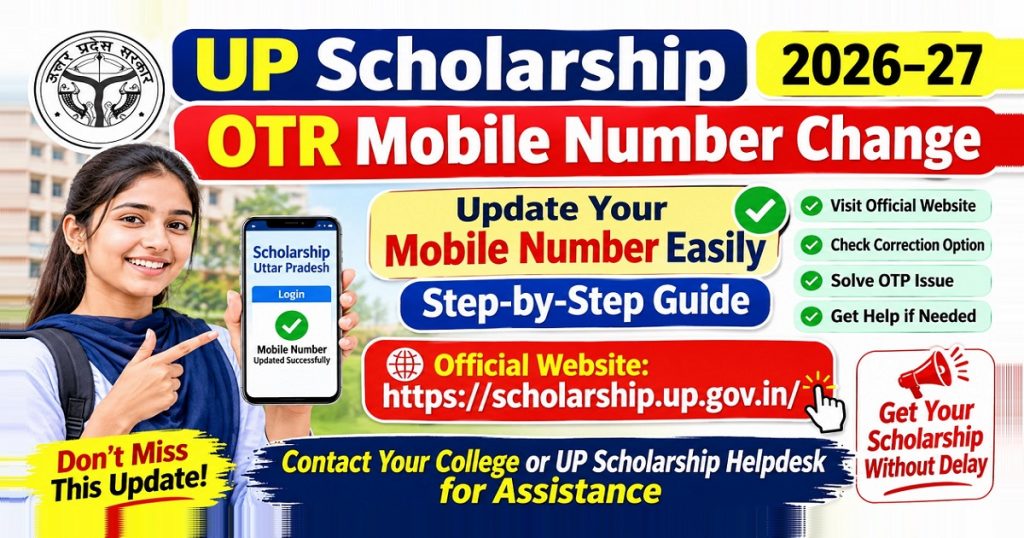
If your number needs correction, first visit the official UP Scholarship website and check for any available OTR-related update service.
If the portal does not offer a mobile-number correction option, ask your institution’s scholarship officer or the responsible department for guidance.
Important: Do not create a second OTR using your new mobile number. Official UP Scholarship guidelines allow only one OTR per student. Duplicate registration may lead to disqualification from scholarship benefits.
How to Update Your Mobile Number Online?
Students looking for the UP Scholarship OTR mobile number update online process should follow these steps to check whether an authorised update facility is available.
Step 1: Visit the Official UP Scholarship Portal
Open https://scholarship.up.gov.in/ on your mobile or computer.
Check that you are using the government website rather than an unofficial registration service.
Step 2: Open the Student or OTR Section
Find the Student section or the relevant OTR service on the homepage.
Use your existing registration details to access the service you need.
Step 3: Check for a Mobile Number Correction Option
Look for an officially provided mobile number update or correction facility.
The exact name and availability of this option have not been verified for the current session.
If no suitable option appears, do not assume that editing your scholarship application will change the mobile number stored in OTR.
Step 4: Follow the Portal’s Verification Instructions
If an official update feature is available, follow the instructions shown on the screen.
Use your new active mobile number only where the portal asks for it.
Complete any required identity or OTP verification.
Step 5: Check the Updated Details
If you cannot find an update feature or complete verification, use the official support route explained below.
Before making any changes, check our guide on UP Scholarship OTR Login to learn how to access your existing registration.
What to Do If Your Old Mobile Number Is Lost or Inactive?
| Your Situation | Recommended Action |
|---|---|
| SIM card lost | Request a replacement SIM from your operator |
| Old number inactive | Ask the operator whether it can be reactivated |
| Number permanently unavailable | Contact the relevant scholarship authority |
| Wrong number entered | Check for an official OTR correction facility |
| OTP not received | Check network, SIM status, and OTP validity |
| OTR number forgotten | Use the official OTR retrieval option if accessible |
Recover Your Old SIM Card
If your old number still belongs to you, contact your mobile network provider, such as Jio, Airtel, Vi, or BSNL.
Ask whether you can get a replacement SIM with the same number.
Restoring access to the old number may help you receive verification messages without changing your OTR record.
Request Help When the Number Cannot Be Recovered
If your number has been disconnected permanently or is no longer under your control, contact your school’s or college’s scholarship office.
Explain that you have an existing OTR number but cannot receive messages on the registered mobile number.
Ask about the current authorised correction or verification process.
If you have forgotten your registration details, follow our guide on How to Recover Your UP Scholarship OTR Number for help with retrieving your existing registration.
Can You Update Your Mobile Number Without OTP?
Students often search for UP Scholarship OTR mobile number change without OTP when they cannot access their old SIM.
However, there is no independently verified general procedure that allows UP Scholarship students to bypass OTP verification and directly replace their registered number.
If you cannot receive the OTP:
- Check whether your original number can be recovered.
- Look for an authorised recovery or correction option on the official portal.
- Contact your institution’s scholarship officer if recovery is unsuccessful.
- Follow the identity-verification instructions provided by the responsible department.
Avoid websites promising instant changes without official verification.
Why Is Your OTP Not Arriving? Causes and Solutions
Try these basic checks before requesting a number change.
| OTP Problem | What to Do |
|---|---|
| OTP message delayed | Wait briefly before requesting another code |
| No mobile network | Move to an area with better signal |
| SIM not working | Test the SIM or contact your operator |
| OTP expired | Request a new code if the portal allows |
| Incorrect registered number | Ask for an authorised correction procedure |
| Website not responding | Try again after some time |
| Aadhaar verification OTP missing | Check access to your Aadhaar-linked number |
If the problem continues despite having an active SIM, use the support details available on the government portal.
Can You Correct Your Mobile Number After Registration?
Students may notice a wrong mobile number before or after their OTR number is generated.
These situations need different actions.
If OTR Registration Is Incomplete
Check whether the current registration screen allows you to correct the entered number before completing verification.
Follow the displayed instructions rather than creating multiple registration attempts.
If Your OTR Number Is Already Generated
Your registration already exists.
Do not create another OTR to replace incorrect details. Instead, check whether the portal provides an authorised correction service.
If editing is unavailable, report the problem through your institution or the relevant department.
If Your Scholarship Application Is Already Submitted
OTR correction and scholarship application correction are not the same.
OTR concerns your original registration details, while scholarship application correction deals with information submitted for a particular academic session.
An application correction window does not automatically mean you can change your OTR mobile number.
If you need to correct information in your scholarship application, visit our guide on UP Scholarship Form Correction 2026–27 for the latest correction instructions.
Aadhaar vs OTR: What’s the Difference Between Registered Mobile Numbers?
Students sometimes think that changing the mobile number linked to Aadhaar will also change their UP Scholarship OTR number.
These are two different records.
| Aadhaar Mobile Number | UP Scholarship OTR Mobile Number |
|---|---|
| Linked to your Aadhaar records | Associated with your scholarship registration |
| Used for Aadhaar authentication | Used for OTR mobile authentication and related messages |
| Managed through UIDAI procedures | Subject to UP Scholarship portal rules |
| Updated through authorised Aadhaar services | Correction depends on scholarship system facilities |
If your Aadhaar-linked number is unavailable, visit UIDAI for the current official mobile update instructions.
Changing your Aadhaar-linked number does not automatically confirm an update in your OTR registration.
You can also read our guide on UP Scholarship Aadhaar eKYC to understand the identity verification process required during registration.
How to Recover Your Forgotten OTR Number?
If you have forgotten your OTR number, check the official registration page for its retrieval facility.
Some UP Scholarship registration guides show an option labelled “If you Forget your OTR Number?”
The recovery process may require the mobile number associated with your registration and a captcha code.
If you still have access to that number, follow the instructions displayed on the portal.
If you have lost both your OTR number and access to your old SIM, contact the scholarship office for help with the existing registration.
Remember that OTR number recovery and mobile number correction are separate tasks.
What Details Should You Keep Ready for Support?
Before contacting your scholarship office, prepare the information needed to explain your problem.
- Existing OTR number, if known
- Old registered mobile number
- New active mobile number
- Student name and institution details
- Scholarship application number, if available
- Aadhaar details for authorised identity verification
- Screenshot of any portal error message
These are suggested details to keep ready, not a confirmed mandatory document list for mobile-number correction.
Do not send full Aadhaar information, passwords, or OTPs through public messages or unofficial websites.
How to Contact the UP Scholarship Helpdesk
If you cannot update your number or receive verification messages, use the official support channels.
Official Website: https://scholarship.up.gov.in/
Open the website and check for the latest helpline or departmental contact information.
You can also approach your school or college scholarship officer and explain your issue.
For example, you can write:
Subject: Request for Help With OTR Registered Mobile Number
Respected Sir/Madam,
I have completed my UP Scholarship OTR registration, but my registered mobile number is no longer active. I cannot receive OTP messages on that number.
Please guide me through the official process to update or recover access to my registered mobile number.
Thank you.
Include your OTR number only through an appropriate, authorised communication channel.
OTR में मोबाइल नंबर कैसे बदलें? (हिंदी में)
अगर आप UP Scholarship OTR में मोबाइल नंबर बदलना चाहते हैं, तो सबसे पहले आधिकारिक वेबसाइट scholarship.up.gov.in खोलें।
- वेबसाइट पर Student या OTR से संबंधित विकल्प देखें।
- यदि मोबाइल नंबर बदलने का आधिकारिक विकल्प उपलब्ध है, तो पोर्टल पर दिए गए निर्देशों का पालन करें।
- पुराना नंबर बंद होने पर, उसी नंबर की नई SIM अपने मोबाइल नेटवर्क ऑपरेटर से प्राप्त करने की कोशिश करें।
- SIM रिकवर करना संभव न हो, तो अपने स्कूल या कॉलेज के स्कॉलरशिप अधिकारी से संपर्क करें।
ध्यान दें: मोबाइल नंबर बदलने के लिए नया OTR न बनाएं। एक विद्यार्थी के लिए केवल एक OTR नंबर की अनुमति है।
Frequently Asked Questions
Can I change my UP Scholarship OTR mobile number in 2026?
The official guidelines require an active mobile number for OTR registration, but a general mobile-number correction facility has not been confirmed. Check the official portal or contact your institution for assistance.
What should I do if my old registered mobile number is lost?
First, contact your mobile network operator to recover the same number. If recovery is not possible, approach your college scholarship office for guidance on the authorised correction process.
Can I correct a wrong mobile number after OTR registration?
The official guidelines do not confirm a general correction facility after OTR generation. Contact the relevant scholarship authority instead of creating another registration.
What should I do if I am not receiving the OTR OTP?
Check your mobile network, SIM activity, and registered number. If the problem continues, contact the official scholarship support team.
Can I create another OTR using a new mobile number?
Multiple registrations may lead to debarment from scholarship schemes.
For more information, explore our UP Scholarship Guide, covering registration, application submission, renewal, eligibility, status checks, and corrections.
Conclusion
Changing your registered mobile number in UP Scholarship OTR can be difficult, especially if your old SIM is lost or inactive. Before taking any action, check the official portal for available correction options. If you cannot access your old number or receive an OTP, contact your mobile network operator or college scholarship office for assistance. Always follow official instructions and avoid creating a duplicate OTR registration.
Need help with UP Scholarship? Visit UPScholarshipInfo for easy, step-by-step guides on registration, applications, renewals, status checks, and corrections.