UP Scholarship OTR Login 2026-27: Official Website, Registration & Number Recovery
For the 2026–27 academic session, UP Scholarship OTR Login is an important step for eligible Pre-Matric and Post-Matric students. One Time Registration (OTR) is mandatory before submitting an applicable scholarship application. Students must verify their mobile number through OTP, complete the required details and generate a unique OTR number. They can then proceed to the relevant Fresh or Renewal Scholarship login.
UP Scholarship OTR Login: Official Website and Portal
Students can access the One Time Registration facility through the official Uttar Pradesh Scholarship and Fee Reimbursement Online System.
Official website: https://scholarship.up.gov.in/
Direct OTR registration page: https://scholarship.up.gov.in/RegWithOTR.aspx
Visit the government website and select the OTR option available on its homepage. If the direct registration page does not open, access it through the main portal.
UP Scholarship OTR Details 2026-27
| Particular | Details |
|---|---|
| Scholarship | Uttar Pradesh Scholarship |
| Academic session | 2026-27 |
| OTR full form | One Time Registration |
| Registration mode | Online |
| Official portal | scholarship.up.gov.in |
| Registration requirements | Active mobile number and Aadhaar |
| Verification | Mobile authentication and Aadhaar e-KYC |
| OTR generation | After successful verification |
| OTR validity | Intended for reuse across applicable scholarship sessions |
| Applicable applicants | Eligible Fresh and Renewal students |
OTR has been mandatory for applicable UP Scholarship applications since the 2025-26 academic session. The requirement continues for the 2026-27 session.

What Is UP Scholarship OTR?
OTR stands for One Time Registration. It is a student identification process introduced on the Uttar Pradesh Scholarship Portal to help identify applicants and reduce duplicate registrations.
During OTR registration, students verify their mobile number and complete Aadhaar-based e-KYC. Once the required verification is successful, the portal generates a unique OTR number.
Students can use this number when proceeding with the applicable UP Scholarship application.
Why Is OTR Required?
The OTR system helps the scholarship department:
- Provide a unique identification number to each student.
- Verify student identity through Aadhaar authentication.
- Reduce duplicate student registrations.
- Improve the identification process across scholarship applications.
- Connect student identification information with scholarship services.
Only one OTR number is permitted per student. If a student already has an OTR number, they should recover or use that number rather than creating another registration.
How to Login UP Scholarship OTR Online?
Students searching for UP Scholarship OTR ID Login should first understand that the OTR facility is not the same as the regular scholarship login.
The OTR facility is used to complete One Time Registration and obtain the unique identification number. Existing scholarship applicants use the separate Student Login facility to access their applications.
Steps to Access the OTR Facility
- Visit the official UP Scholarship website.
- Find the One Time Registration (OTR) option on the homepage.
- Open the OTR registration facility.
- Read the displayed registration guidelines.
- If you are registering for the first time, proceed with mobile authentication and Aadhaar e-KYC.
- If you already have an OTR number, do not create another one. Use the existing number for the applicable scholarship application.
If you want to access your scholarship application instead, select the relevant Fresh or Renewal Student Login.
UP Scholarship Student Login 2026-27
After completing OTR, students can access the relevant scholarship login facility.
The general process is:
- Open the official UP Scholarship website.
- Navigate to the Students section.
- Select Fresh Login or Renewal Login.
- Choose the appropriate student category.
- Enter the requested registration number and OTR number.
- Enter your password or follow the verification-code instructions displayed on the portal.
- Complete the CAPTCHA, if requested.
- Submit the details to access your scholarship application.
The exact login fields depend on the selected category and session.
Fresh Login vs Renewal Login
| Fresh Login | Renewal Login |
|---|---|
| For eligible first-time applicants | For eligible continuing applicants |
| Used to access a new scholarship application | Used to access an existing scholarship record |
| Requires the current session’s registration details | Uses the previous scholarship registration details where required |
| Select the relevant Fresh category | Select the relevant Renewal category |
Renewal applicants should not create a new OTR merely because they are applying for another academic session.
UP Scholarship OTR Registration: Complete Step-by-Step Guide
Students who have never generated an OTR number must complete the registration process before proceeding with their applicable scholarship application.
According to the UP Scholarship OTR guidelines, registration involves three stages:
- Mobile Number Authentication
- Aadhaar e-KYC
- OTR Number Generation
Step 1: Visit the Official Scholarship Website
Open scholarship.up.gov.in using an updated browser.
Locate the OTR registration option on the homepage and open the registration facility.
Step 2: Read the OTR Registration Guidelines
Read the instructions displayed on the registration page before continuing.
Pay attention to the rules concerning Aadhaar authentication, mobile verification and duplicate OTR registration.
Read the consent declaration carefully and proceed according to the portal’s instructions.
Step 3: Complete Mobile Number Authentication
The first stage is mobile number authentication.
Follow the instructions displayed on the OTR registration page:
- Enter your active mobile number.
- Fill in the CAPTCHA or security code, if requested.
- Select the Generate OTP option.
- Check your mobile phone for the verification message.
- Enter the OTP received.
- Complete mobile number verification.
Use a mobile number that you can access throughout the registration process.
Step 4: Complete Aadhaar e-KYC
After mobile verification, complete the Aadhaar authentication process.
You may need to:
- Enter your Aadhaar number.
- Read the Aadhaar authentication consent.
- Provide the required consent.
- Follow the displayed e-KYC instructions.
- Complete OTP-based authentication if requested.
- Wait for the verification result.
Make sure your Aadhaar information belongs to the student completing the registration.
If the Aadhaar-linked mobile number is unavailable, resolve the mobile authentication issue through the appropriate Aadhaar service before trying again.
For a step-by-step explanation, read our detailed guide on UP Scholarship Aadhaar e-KYC
Step 5: Generate Your OTR Number
Once mobile authentication and Aadhaar e-KYC have been completed successfully, proceed to the final OTR generation stage.
Follow any additional instructions displayed by the portal.
After successful generation, the OTR number is displayed on the screen and sent to the registered mobile number.
Step 6: Save Your OTR Number
After completing registration:
- Write down your OTR number.
- Save the registration confirmation.
- Keep your registered mobile number accessible.
- Store your OTR information securely.
You will need your existing OTR number when proceeding with the applicable scholarship application.
Important: If you generated an OTR number during the 2025-26 session, use that existing number for 2026-27. Do not create another OTR just because a new academic session has started.
Documents and Information Required for UP Scholarship OTR Registration
Before beginning registration, keep the following details available.
| Required detail | Purpose |
|---|---|
| Aadhaar number | Student identity verification |
| Active mobile number | Mobile OTP authentication |
| Aadhaar-linked mobile access | Aadhaar e-KYC, where OTP is required |
| Personal information | Registration details requested by the portal |
The exact information requested may depend on the registration form and the verification method provided by the official portal.
Do not confuse OTR requirements with the additional documents needed for a complete scholarship application. Caste certificates, income certificates, educational records and bank details may be required during the separate scholarship application process.
For a complete list of required documents and information, read our guide on Documents Required for UP Scholarship.
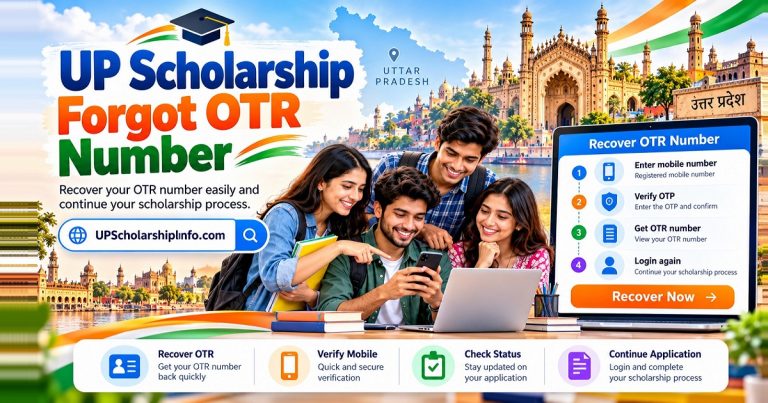
How to Recover a Forgotten UP Scholarship OTR Number?
If you have forgotten your UP Scholarship OTR number, you should recover the existing number instead of registering again.
The official recovery facility is available through the relevant Student Login page.
Follow these steps:
- Visit the official UP Scholarship portal.
- Open the Students section.
- Select the relevant Fresh or Renewal login category.
- Look for the Forgot OTR option on the login page.
- Open the OTR recovery facility.
- Enter the mobile number registered during OTR registration.
- Complete the displayed CAPTCHA.
- Request and enter the OTP if prompted.
- Follow the instructions to retrieve your existing OTR number.
Keep your registered mobile number accessible during recovery.
If you cannot access the registered mobile number or the recovery option does not work, contact the relevant scholarship support service or your institution for assistance.
Do not create a second OTR number to replace a forgotten one. The official guidelines allow only one OTR per student, and duplicate registration may result in debarment from scholarship schemes.
For a step-by-step explanation, read our detailed guide on UP Scholarship Forgot OTR Number.
UP Scholarship OTR Forgot Password: How to Reset It?
Students should understand the difference between an OTR number and a scholarship account password.
The OTR number identifies the student, whereas the password is used to access the relevant scholarship application login.
If you have forgotten your scholarship login password, follow these instructions:
- Visit the official UP Scholarship website.
- Open the Students section.
- Select the relevant Fresh or Renewal Login.
- Choose your scholarship category.
- Look for the Forgot Password option.
- Select the applicable password recovery facility.
- Enter the information requested by the portal.
- Complete the CAPTCHA or other verification.
- Follow the instructions to reset or retrieve your password.
The Postmatric password recovery facility may request details such as:
- Scholarship registration number.
- Date of birth.
- High school board.
- Year of passing high school.
- High school roll number.
- CAPTCHA code.
For renewal applicants, the previous academic session’s registration number may be required.
The exact requirements depend on the selected login category.
Remember: Forgetting your scholarship password does not mean that you need to register for a new OTR.
UP Scholarship Aadhaar and Mobile Verification Problems
Mobile authentication and Aadhaar e-KYC are important stages of OTR registration. If either stage fails, the registration process may not be completed.
Mobile OTP Not Received
If you do not receive the mobile verification OTP:
- Check your mobile network.
- Confirm that the mobile number was entered correctly.
- Wait before requesting another OTP.
- Check whether SMS services are working.
- Try again if the portal is temporarily experiencing technical issues.
Aadhaar e-KYC Failed
If Aadhaar verification fails:
- Check whether you entered the correct Aadhaar number.
- Ensure that the Aadhaar details belong to the student.
- Check access to the Aadhaar-linked mobile number.
- Follow the error instructions displayed by the authentication service.
- Retry after correcting any input errors.
If verification continues to fail, contact the appropriate support service instead of repeatedly submitting incorrect information.
UP Scholarship OTR Status: How to Check Registration?
Students can confirm successful OTR registration by checking the result of the registration process.
After completing mobile authentication and Aadhaar e-KYC, the portal generates the OTR number.
To track your application progress, read our detailed guide on UP Scholarship Status.
You should:
- Check whether an OTR number is displayed after registration.
- Check the SMS received on your registered mobile number.
- Save the generated OTR number and confirmation details.
- Use the number when proceeding with your applicable scholarship application.
Common OTR Registration Results
| Result | Meaning |
|---|---|
| Mobile verification successful | Mobile authentication is completed |
| Aadhaar e-KYC successful | Aadhaar authentication is completed |
| OTR number generated | Registration has been completed successfully |
| OTR already exists | An existing OTR record may be associated with your details |
| Verification failed | The required authentication was unsuccessful |
These are explanations of possible registration outcomes, not a guaranteed list of the portal’s exact status labels.
Also, OTR registration status and scholarship application status are different. Generating an OTR number does not mean that your scholarship application has been submitted or approved.
UP Scholarship OTR Correction and Update
Students may discover an error in their OTR details after registration.
Examples include incorrect personal information or details that do not match Aadhaar records.
If you identify an error:
- Visit the official UP Scholarship portal.
- Open the relevant OTR service.
- Check whether an authorized correction or update facility is available.
- Follow the instructions provided by the department.
- Contact the relevant support service if online correction is unavailable.
A general self-service OTR correction facility could not be independently confirmed during this review. Students should not assume that every OTR field can be edited online.
To learn how to correct errors in your scholarship application, read our detailed guide on UP Scholarship Correction.
OTR Correction vs Scholarship Application Correction
| OTR Correction | Scholarship Application Correction |
|---|---|
| Concerns student OTR information | Concerns the scholarship application |
| Related to student identification | Related to submitted application details |
| Depends on an authorized OTR correction facility | Depends on the scholarship correction facility and schedule |
| Does not automatically require a new OTR | Does not automatically require a new OTR |
Always follow the current official instructions before requesting any correction.
Difference Between OTR Number and Scholarship Registration Number
Students often confuse their OTR number with their scholarship registration number. However, these numbers serve different purposes.
| OTR Number | Scholarship Registration Number |
|---|---|
| Generated through One Time Registration | Generated during scholarship registration |
| Identifies the student | Identifies the scholarship application |
| Intended for reuse across applicable sessions | Associated with the relevant application and session |
| Generated after mobile and Aadhaar verification | Generated through the scholarship registration process |
| Should not be generated repeatedly | Used with the relevant Fresh or Renewal login |
For example, a student who already has an OTR number should use the same number when applying for the 2026-27 scholarship. The student should not generate a new OTR for the new academic session.
Common UP Scholarship OTR Login Issues and Their Solutions
Students may face different technical and verification problems while completing OTR registration or accessing their scholarship accounts.
| Problem | Possible reason | Recommended solution |
|---|---|---|
| OTP not received | Network or mobile service issue | Check your network and retry |
| Invalid OTP | Incorrect or expired OTP | Request another OTP if permitted |
| Aadhaar verification failed | Authentication or information mismatch | Check your details and follow the error instructions |
| OTR already exists | Previous registration is recorded | Recover your existing OTR |
| Forgot OTR number | OTR details misplaced | Use the official Forgot OTR facility |
| Forgot password | Scholarship login password forgotten | Use the relevant password recovery option |
| CAPTCHA error | Incorrect security code | Refresh and enter the displayed code again |
| OTR page not opening | Temporary portal issue | Retry through the main government website |
| Registration not completing | Verification step incomplete | Check mobile and Aadhaar authentication |
| Incorrect personal details | Data-entry error or mismatch | Check the authorized correction procedure |
What to Do If the UP Scholarship OTR Portal Is Not Working?
If the OTR page is temporarily unavailable:
- Check your internet connection.
- Open the official website using an updated browser.
- Refresh the page.
- Clear your browser cache if an old version of the page continues to appear.
- Try accessing the portal using another browser.
- Retry later if the government server is temporarily unavailable.
Avoid repeated registration attempts when the portal is experiencing technical problems.
Important Instructions for UP Scholarship OTR Applicants
Before using the OTR facility, keep these points in mind:
- Always access OTR services through the official UP Scholarship website.
- Complete the required OTR process before applying for the scholarship.
- Use the student’s correct Aadhaar details.
- Keep the registered mobile number accessible.
- Save your OTR number after successful generation.
- Never generate multiple OTR numbers.
- Use the existing OTR for subsequent applicable scholarship sessions.
- Keep your OTR number separate from your scholarship registration number.
- Never share OTPs or passwords with unauthorized individuals.
- Check the latest government instructions before submitting information.
These precautions help students avoid common registration and account-access problems.
Frequently Asked Questions
1. What is the official website for UP Scholarship OTR?
The official website is scholarship.up.gov.in. Students can access OTR registration and other scholarship-related services through this government portal.
2. Is OTR mandatory for UP Scholarship 2026-27?
Yes. One Time Registration is mandatory for applicable UP Scholarship applications. Students must complete the required mobile authentication and Aadhaar e-KYC before generating their OTR number.
3. Can I use my previous year’s OTR number for 2026-27?
Yes. Students who already generated an OTR number should use the same number for subsequent applicable academic sessions. There is no need to register again.
4. How can I recover my forgotten OTR number?
Visit the official scholarship portal and select the Forgot OTR option under the relevant student login facility. Enter your registered mobile number, complete the required verification and follow the instructions to retrieve your number.
5. Can a student generate more than one OTR number?
No. Only one OTR number is permitted per student. Creating duplicate OTR numbers may result in debarment from scholarship schemes.
6. What is the difference between OTR and scholarship registration?
OTR generates a unique student identification number, whereas scholarship registration creates an application for a particular academic session. Students must complete both applicable processes to submit their scholarship applications.
7. What should I do if Aadhaar verification fails?
Check your Aadhaar details and access to the Aadhaar-linked mobile number if OTP authentication is required. Correct any errors and retry the verification. If the issue continues, contact the relevant support service.
8. Can I update or correct my OTR details?
OTR corrections depend on the facilities authorized by the scholarship department. Check the official portal for available correction instructions or contact the relevant department if an error needs to be resolved.
9. Is UP Scholarship OTR the same as National Scholarship Portal OTR?
No. UP Scholarship OTR and National Scholarship Portal OTR belong to separate scholarship systems. Students should follow the registration instructions of the specific portal through which they are applying.
Final Words
UP Scholarship OTR Login 2026-27 is an important part of the application process for eligible students in Uttar Pradesh. Students must complete mobile number authentication and Aadhaar e-KYC to generate their unique OTR number.
Those who already have an OTR number should use the existing number instead of registering again. Students who forget their OTR details can use the official recovery facility, while scholarship password problems should be handled through the relevant Student Login page.
Always visit scholarship.up.gov.in for official registration instructions and scholarship-related services. Keep your OTR details secure and verify your information before proceeding with your application.
Need help with UP Scholarship procedures? Visit UPScholarshipInfo for easy-to-follow guides on registration, online applications, renewal, status tracking, and application corrections.