UP Scholarship Renewal 2026–27: Registration, Login, Eligibility & Documents
UP Scholarship Renewal 2026–27 allows eligible students with an existing Uttar Pradesh scholarship record to apply for continued financial assistance in the new academic session. Students can use the Renewal Login to access their previous application, update academic details, complete the required verification, and submit their renewal form through the official UP Scholarship Portal.
Last Updated: November 2, 2026. The announced renewal application deadlines have passed. Students who have already submitted their forms should check their application status, institutional verification, correction notices, and payment updates.
This guide explains renewal eligibility, login, registration steps, required documents, and solutions to common application problems.
Latest Updates for Renewal Applicants
Students should first confirm whether they are eligible for Renewal or need to submit a Fresh application.
The main renewal deadlines have passed, but verification and payment-related processing may continue.
| Details | Information |
|---|---|
| Scholarship | UP Scholarship and Fee Reimbursement Scheme |
| Academic Session | 2026–27 |
| Application Type | Renewal |
| Eligible Students | Students with qualifying previous scholarship records |
| Application Mode | Online |
| School-Level Renewal | Closed |
| Dashmottar Renewal | Closed |
| OTR | Required under the applicable registration process |
| Official Portal | scholarship.up.gov.in |
The original school-level timetable listed August 25, 2026, as the Class 10 and Class 12 renewal deadline. Subsequent reporting identifies October 15, 2026, as a revised date for those categories.

The Dashmottar renewal deadline was October 15, 2026.
For the complete category-wise timetable and extension information, read our UP Scholarship Renewal Last Date 2026–27 guide.
Important: A Fresh application deadline, correction window, or verification period does not automatically allow new Renewal applications.
What Is UP Scholarship Renewal?
UP Scholarship Renewal is the process through which eligible students continue an existing scholarship application into another academic session.
Instead of starting a completely new scholarship record, students use their previous application information and update the details required for the current year.
These details may include their current class, course, institution, previous examination results, bank information, and supporting documents.
For example, a student who applied for the scholarship in Class 9 and is now studying in Class 10 may qualify for Pre-Matric Renewal.
Similarly, a student continuing from the first to the second year of an eligible undergraduate course may qualify for Dashmottar Renewal.
However, a previous scholarship application does not automatically guarantee renewal eligibility or approval.
Who Should Apply for Scholarship Renewal?
Renewal is generally intended for students who have an eligible previous scholarship record and are continuing their education under the relevant scheme.
Students may qualify when they:
- Have an eligible previous scholarship application record.
- Continue studying in a recognised institution.
- Progress to the next eligible class or academic year.
- Meet the applicable income and category requirements.
- Provide accurate academic and personal information.
- Complete the required registration and verification steps.
Fresh vs Renewal: Which Application Should You Choose?
Students should choose the correct application type based on their previous scholarship history and current academic level.
| Student Situation | Application Type |
|---|---|
| Applying for the first time | Fresh |
| Class 9 student promoted to Class 10 | Renewal, if eligible |
| Class 11 student promoted to Class 12 | Renewal, if eligible |
| Continuing to the next year of the same eligible degree | Renewal, if eligible |
| Starting a new degree or scholarship category | Follow the applicable Fresh or Renewal rules |
| Previous registration details forgotten | Recover existing details before choosing an application type |
A student moving from Class 10 to Class 11 generally enters a different scholarship category and should check the applicable Fresh Registration requirements.
Similarly, a student completing a bachelor’s degree and starting a postgraduate programme should not automatically select Renewal.
Important: Do not submit a Fresh application simply because the Renewal Login is not working or the renewal deadline has passed.
Visit our UP Scholarship 2026–27 guide to learn about important dates, required documents, and application procedures.
Eligibility Criteria for the 2026–27 Session
Students must continue meeting the eligibility conditions of their scholarship scheme.
Previous Scholarship Record
Applicants generally need an eligible previous scholarship registration or application record.
The portal may require their previous registration number, password, OTR details, and other verification information.
If the previous record is missing, students should first check their login category and registration details.
Academic Progress
Students normally need to continue an eligible course or progress to the next academic year.
Their previous examination results, current admission details, and academic status must satisfy the applicable scheme requirements.
Students who have failed, changed courses, or transferred institutions should verify their eligibility before selecting Renewal.
Institution and Course Requirements
The educational institution and course must meet the scholarship scheme’s requirements.
Incorrect college names, course details, academic years, or institution records may cause verification problems.
Income, Category and Domicile
Renewal applicants must continue meeting the applicable income, category, and domicile requirements.
The scholarship system covers eligible students under categories such as General, OBC, SC, ST, and Minority, subject to scheme-specific conditions.
Income limits may differ between categories and scholarship levels.
For detailed rules, visit our UP Scholarship Eligibility Guide.
Documents Required for Scholarship Renewal
Students should keep their previous scholarship details and updated academic records ready before accessing the Renewal application.
The exact documents required depend on the scholarship category and instructions displayed on the portal.
| Document or Information | Purpose |
|---|---|
| Previous Registration Number | Accessing the existing scholarship record |
| OTR Number | Student identification under the applicable system |
| Aadhaar Details | Identity verification |
| Previous Year’s Marksheet | Checking academic progression |
| Current Admission Details | Confirming enrollment |
| Fee Receipt | Supporting fee information where required |
| Income Certificate | Verifying income eligibility where applicable |
| Caste or Category Certificate | Category verification where applicable |
| Bank Account Information | Payment-related verification |
| Institution and Course Details | Confirming the current academic record |
| Passport-Size Photograph | Where requested by the portal |
Renewal applicants may not need to upload every document again if the relevant information is already available and valid.
However, students must update or provide documents whenever the portal or institution requires them.
Make sure names, dates of birth, Aadhaar information, academic records, and other details are consistent.
Is OTR Required for Renewal Registration?
One-Time Registration, commonly called OTR, is part of the UP Scholarship registration and identity-verification system for the 2026–27 academic session.
Students should follow the OTR instructions displayed on the official portal.
An existing valid OTR should normally be used instead of creating a duplicate record.
Students should understand these three terms:
- OTR Number: Identifies the student within the applicable registration system.
- Scholarship Registration Number: Identifies the student’s scholarship application record.
- Renewal Application: Allows an eligible existing applicant to continue the scholarship process for another academic session.
Completing OTR does not automatically renew a scholarship.
Students must still complete the required Renewal application and verification steps.
Read our UP Scholarship OTR Registration guide for further instructions.
How to Apply for UP Scholarship Renewal Online
Eligible students normally complete the renewal application through the official Uttar Pradesh Scholarship portal.
The 2026–27 renewal windows have closed. The following steps explain the process for students reviewing their submissions or preparing for an officially reopened application window.
Step 1: Visit the Official Website
Open scholarship.up.gov.in.
Check that you are using the official government website before entering personal information.
Step 2: Select Renewal Login
Open the Student section and choose the appropriate Renewal Login.
Select the scholarship category that matches your previous record and current academic level.
The main categories include Pre-Matric, Post-Matric Intermediate, and Post-Matric Other Than Intermediate (Dashmottar).
Step 3: Enter Previous Registration Details
Enter the registration number, password, captcha, and any additional verification details requested by the portal.
Use your existing scholarship record rather than creating an unnecessary new application.
Step 4: Review Existing Application Information
After logging in, review the personal and academic information available in your scholarship account.
Check your name, date of birth, institution, course, previous examination results, and other relevant details.
If an important field is incorrect, follow the permitted correction process.
Step 5: Update Current Academic Details
Enter or confirm the information required for the current academic session.
This may include:
- Current class or course year.
- Previous examination marks.
- Current institution and enrollment details.
- Course or semester information.
- Admission and fee-related details.
Make sure the information matches your official academic records.
Step 6: Verify Identity and Bank Information
Review the required Aadhaar, identity, and bank-related information.
Where applicable, confirm that your bank account meets the scholarship payment requirements, including Aadhaar seeding and DBT eligibility.
Incorrect information can delay verification or payment processing.
Step 7: Provide Supporting Documents
Upload or submit the required documents if the portal or institution requests them.
Not every renewal applicant will necessarily have the same document-upload requirements.
Follow the instructions for your scholarship category.
Step 8: Complete Final Submission
Review the entire form carefully.
Correct any permitted errors before selecting the final submission option.
Saving a draft is not the same as submitting the application.
Confirm that the portal shows successful final submission before leaving the application dashboard.
Step 9: Download the Final Printout
After successful submission, download or print the application where available.
Keep a PDF copy and your registration details for future reference.
You can also read our UP Scholarship Final Print Guide.
Step 10: Complete Institution Verification
Where required, submit the printed application and supporting documents to your school or college within the applicable timetable.
The institution verifies the information before forwarding eligible applications for further processing.
Online submission alone does not guarantee scholarship approval.
How to Log In to Your Renewal Account
Students can use the Renewal Login to access their previous scholarship records and available application services.
To log in:
- Visit scholarship.up.gov.in.
- Open the Student section.
- Select the correct Renewal Login category.
- Enter your previous registration number and password.
- Complete the captcha or other required verification.
- Open the student dashboard.
Depending on the application stage, students may be able to review submitted details, check verification information, or access other available services.
If you cannot log in, check your scholarship category and credentials before attempting a new registration.
Category-Wise Renewal Process
The basic renewal procedure is similar across scholarship categories, but eligibility and academic requirements differ.
Pre-Matric Renewal for Class 10
Eligible students progressing from Class 9 to Class 10 generally use the Pre-Matric Renewal option.
They should verify their previous scholarship record, current school details, academic progress, and any required supporting information.
Students entering Class 9 for the first time normally follow the applicable Fresh application process.
Intermediate Renewal for Class 12
Students continuing from Class 11 to Class 12 may qualify for Post-Matric Intermediate Renewal.
They should select the appropriate Intermediate Renewal Login and review their current academic and institution details.
Students moving from Class 10 to Class 11 should check the relevant Fresh application requirements because their scholarship category changes.
Dashmottar Renewal for UG and PG Students
Dashmottar Renewal generally covers eligible students continuing undergraduate, postgraduate, diploma, and professional courses.
Common courses include BA, BSc, BCom, BBA, BTech, MA, MSc, MCom, MBA, MTech, and other recognised programmes.
For example, a student moving from BA first year to second year may qualify for renewal if the previous scholarship record and current course meet the scheme requirements.
Similarly, eligible postgraduate students continuing to the next year of the same approved course may use the applicable Renewal option.
Diploma, Polytechnic and ITI Renewal
Eligible students continuing approved diploma, Polytechnic, ITI, and technical courses may qualify under the relevant Dashmottar scheme.
They should verify their previous scholarship details, current course year, institution recognition, and supporting records.
Students starting a new course should check whether Fresh Registration is required.
How to Check Your Renewal Application Status
After final submission, students should monitor the progress of their scholarship applications.
Visit the official scholarship portal and open the available Student Login or Status facility.
Enter the required academic session, registration details, and verification information.
Common processing stages include:
| Status or Stage | What It Generally Means |
|---|---|
| Submitted | Application has been submitted |
| Pending at Institution | School or college verification is incomplete |
| Forwarded | Application has moved to another processing stage |
| Under Scrutiny | Application details are being reviewed |
| Correction Required | An issue needs attention through an authorised process |
| Approved | Required approval has been recorded |
| Rejected | Application has not passed a required check |
The exact labels may differ from those shown on the portal.
For a complete explanation, read our UP Scholarship Status Guide.
Why Is My Renewal Application Not Showing?
Sometimes students cannot find their previous scholarship record or renewal application.
Possible reasons include:
- Selecting Fresh Login instead of Renewal Login.
- Choosing the wrong scholarship category.
- Entering an incorrect registration number.
- Selecting the wrong academic session.
- Having an ineligible or unavailable previous record.
- Changing course or institution.
- A closed application window.
- Temporary portal problems.
First, confirm your registration details and selected scholarship category.
If the record is still unavailable, contact your institution’s scholarship officer or the official helpdesk.
Do not create a duplicate Fresh application before confirming the correct process.
Why Is the Renewal Form Not Opening?
The Renewal form may fail to open because of incorrect credentials, server problems, expired sessions, or an unavailable application facility.
Try these steps:
- Check whether the official portal is working.
- Confirm your registration number and password.
- Select the correct scholarship category.
- Refresh the page or sign in again.
- Try an updated browser.
- Check whether the renewal application window is open.
- Contact official support if the problem continues.
Since the announced 2026–27 renewal deadlines have passed, an unavailable form may indicate that the application window is closed rather than a technical error.
How to Recover Forgotten Login Details
Students who forget their registration number or password should use existing records and official recovery facilities.
Forgot Registration Number
Check your previous application printout, registration slip, saved PDF, or other scholarship records.
If you cannot find the registration number, ask your institution’s scholarship officer for assistance.
Remember that an OTR number and a scholarship registration number serve different purposes.
Forgot Renewal Password
Open the relevant Renewal Login page and look for the available password recovery option.
Enter the requested registration and identity-verification information, then follow the displayed instructions.
The exact recovery process may differ depending on the portal’s current facilities.
Never share your password, OTP, or Aadhaar authentication details with unknown individuals.
Why Was My Renewal Application Rejected?
A renewal application may be rejected if the student does not meet the eligibility requirements or if the submitted information fails verification.
Common reasons include:
- Incorrect personal or Aadhaar information.
- Mismatched academic records.
- Invalid or missing documents.
- Incorrect institution or course details.
- Income or category eligibility issues.
- Previous scholarship record problems.
- Unresolved verification objections.
If your application is rejected, read the official rejection remarks carefully.
Check whether the relevant authority has provided a correction or grievance facility.
Contact your institution when the issue requires academic or document verification.
Not every rejected application can be corrected or restored.
What Should I Do If My Renewal Status Is Pending?
A pending application has not necessarily been rejected.
It may still be awaiting institution verification, government scrutiny, correction, or another processing stage.
Students should confirm that final submission was completed and check the current remarks.
If the status is pending at the institution level, contact the school or college scholarship office.
If the application has been approved but payment is pending, check the relevant payment-tracking information separately.
How to Correct a Submitted Renewal Form
Corrections may be available when the scholarship department opens an official correction facility.
The permitted changes depend on the student’s application stage, scholarship category, and the type of error.
Students should:
- Log in through the appropriate official facility.
- Read the verification objection or error.
- Check whether editing is permitted.
- Correct only the allowed information.
- Complete any required resubmission.
- Download an updated printout if instructed.
A correction window does not automatically permit new renewal applications.
For detailed instructions, read our UP Scholarship Correction Guide.
How to Check Renewal Payment Status
Renewal approval and payment confirmation are separate stages.
Even after approval, the scholarship amount may take additional time to reach the student’s bank account.
Students should check their application status, available payment information, bank account activity, and Aadhaar-bank linking details where applicable.
The Public Financial Management System may provide relevant payment-tracking facilities when the transaction is available through that system.
Do not treat an approved application status as proof that money has already been credited.
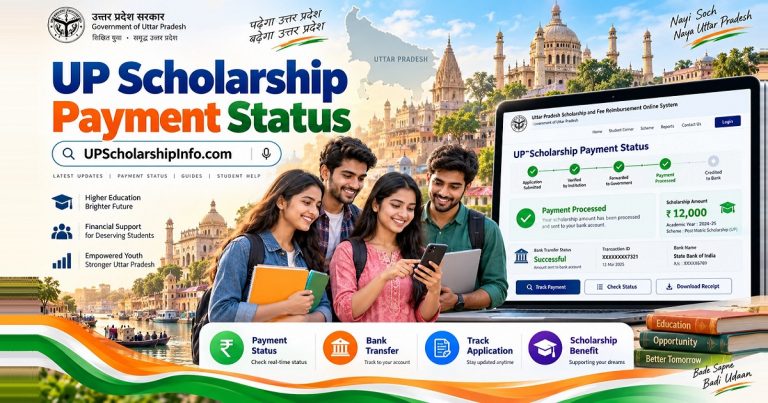
Read our UP Scholarship Payment Status guide for more information.
Common Renewal Problems and Solutions
| Problem | Recommended Action |
|---|---|
| Previous record not found | Check registration details and scholarship category |
| Renewal Login not working | Verify credentials and use official recovery options |
| OTR details not recognised | Check existing OTR information and official instructions |
| Form not submitting | Read the error and confirm the application window |
| Application pending | Check verification remarks and contact the institution |
| Document mismatch | Follow the permitted correction process |
| Application rejected | Review the rejection reason and available remedies |
| Payment not received | Check approval, payment status, and bank information |
Students should always use official facilities and avoid submitting duplicate applications.
Frequently Asked Questions
1. Who can apply for UP Scholarship Renewal 2026–27?
Students with an eligible previous scholarship record who continue meeting the applicable academic, income, category, and institution requirements may qualify for renewal.
2. How do I renew my UP Scholarship online?
Visit the official portal, select Renewal Login, access your previous scholarship record, update the required information, and complete final submission and institution verification within the notified schedule.
3. What is the last date for scholarship renewal?
The Dashmottar renewal deadline was October 15, 2026. The original Class 10 and Class 12 deadline was August 25, with later reporting identifying October 15 as a revised date. Check our dedicated deadline guide and official notifications for details.
4. Is OTR mandatory for renewal students?
OTR is part of the 2026–27 registration requirements. Students should use their existing valid OTR where applicable and follow the instructions displayed on the official portal.
5. Can I renew without my previous registration number?
The renewal process generally requires previous scholarship details. Check saved application records or contact your institution if you cannot recover your registration number.
6. What documents are required for renewal?
Common requirements include previous scholarship details, OTR and Aadhaar information, academic records, admission details, bank information, and applicable income or category documents.
7. Can BA and BSc students apply for renewal?
Eligible BA and BSc students continuing approved undergraduate courses may qualify for Dashmottar Renewal if they meet the applicable requirements.
8. Can I apply Fresh instead of Renewal?
Only when Fresh is the correct application type under the relevant scheme. Do not choose Fresh merely because the Renewal Login is unavailable or the renewal deadline has passed.
9. Can I edit my renewal application after submission?
Corrections are possible only when the relevant authority provides a permitted editing or correction facility.
10. Why is my renewal application pending?
The application may still be awaiting institution verification, scrutiny, or another processing stage. Check the displayed remarks for the exact reason.
11. Can I renew my scholarship after the deadline?
Normally, a new renewal application cannot be submitted after the deadline unless the government officially extends or reopens the relevant application window.
12. When will renewal scholarship payments arrive?
Payment depends on the student’s category, verification, approval, and government processing schedule. Check the official application and payment status rather than relying on a guaranteed date.
Conclusion
UP Scholarship Renewal 2026–27 helps eligible students continue their scholarship applications using an existing record. Applicants must select the correct Renewal Login, review their previous information, update current academic details, and complete the required submission and verification process.
The announced application windows have closed, so students who already applied should focus on verification, correction notices, status updates, and payment tracking.
Always use the official government portal at scholarship.up.gov.in for applications and notifications.
For more practical scholarship guides, visit UPScholarshipInfo.com.