UP Scholarship Payment Status 2026-27 – Check PFMS & Payment Date
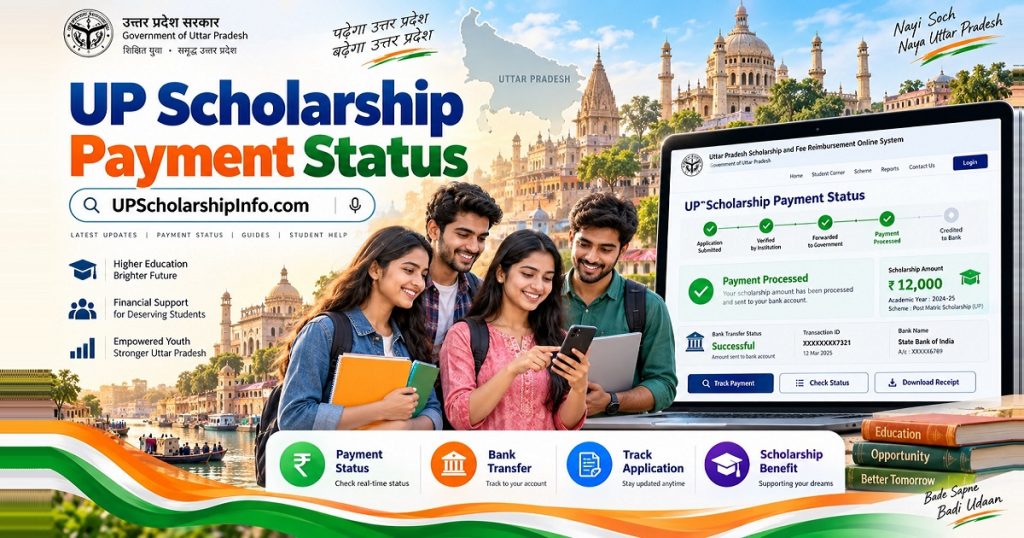
Students who applied for the Uttar Pradesh Scholarship 2026-27 can check their UP Scholarship Payment Status 2026-27 online through the official scholarship portal and the Public Financial Management System (PFMS). These platforms help applicants check their application progress, payment information, and available bank transfer details.
UP Scholarship Payment Status 2026-27: Overview
| Details | Information |
|---|---|
| Scholarship Name | Uttar Pradesh Scholarship |
| Academic Session | 2026-27 |
| Application Portal | scholarship.up.gov.in |
| Payment Tracking Portal | PFMS |
| Payment Method | Direct Benefit Transfer (DBT) |
| Application Types | Fresh and Renewal |
| Eligible Categories | General, OBC, SC, ST and Minority |
| School-Level Applicants | Classes 9–12 |
| Higher Education Applicants | UG, PG, Diploma, ITI and other eligible courses |
| Payment Account | Eligible beneficiary bank account |
| Latest Update | November 6, 2026 |
Important: Application approval and successful payment are two different things. An approved scholarship application does not automatically mean that the scholarship amount has been credited to your bank account.
How Can I Check My Scholarship Payment Status for 2026-27?
Students can use two separate services to check their scholarship progress:
- The UP Scholarship Portal to check application verification and approval.
- The PFMS portal to track available government payment transactions.
Follow these steps to check your scholarship information.
Step 1: Visit the Official UP Scholarship Portal
Open https://scholarship.up.gov.in/.
Step 2: Open the Student Section
Find the Student section and select the appropriate Fresh or Renewal login option according to your application.
Step 3: Enter Your Registration Details
Enter your registration number, password and other requested information.
Step 4: Check Your Application Status
After logging in, review the application progress and any available verification or approval remarks.
Step 5: Check the Payment Information
If your application has completed the required verification and approval stages, check the available payment information through PFMS.
Students should remember that the scholarship portal and PFMS provide different types of information. Always use the appropriate service for the information you need.
How to Check Your Scholarship Payment Through PFMS?
Students can use its Know Your Payments facility to check available payment information using their bank details.
Follow the instructions below.
Step 1: Open the PFMS Website
Visit the official website: https://pfms.nic.in/
Step 2: Find Know Your Payments
Look for the Know Your Payments service under the payment tracking options.
Step 3: Enter Your Bank Information
The tracking service may request the following information:
- Bank name
- Bank account number
- Confirm bank account number
- Captcha or other requested verification information
Step 4: Complete Verification
Complete the security verification displayed on the official page. If an OTP is requested, enter it through the official verification process.
Step 5: View Your Payment Details
Submit the information and check whether PFMS displays a matching payment transaction.
Depending on the available record, you may see information such as:
- Payment amount
- Transaction details
- Payment date
- Bank-related information
- Available payment status
You should save the transaction details if a payment record is displayed.
Note: PFMS does not necessarily display every scholarship application immediately. If your application is still undergoing verification or the payment has not been initiated, a matching transaction may not be available.
When Will the Scholarship Amount Be Credited
The UP Scholarship payment schedule for 2026-27 differs according to the student’s education level and application type.
Fresh and Renewal applicants may receive their scholarship in different payment phases.
The following table summarises the reported payment windows.
| Scholarship Category | Reported Payment Schedule |
|---|---|
| Class 9–12 Renewal – First Phase | September 29–October 5, 2026 |
| Class 9–12 Renewal – Subsequent Phase | October 25–31, 2026 |
| Class 9–12 Fresh | January 25–31, 2027 |
| Dashmottar Renewal – First Phase | December 1–10, 2026 |
| Dashmottar Fresh – First Phase | December 21–31, 2026 |
| Dashmottar Renewal – Subsequent Phase | January 16–25, 2027 |
| Dashmottar Fresh – Subsequent Phase | January 27–31, 2027 |
Important payment update: As of November 6, 2026, both reported Class 9–12 Renewal payment windows have passed. Students who have not received their scholarship should check their application progress and available PFMS payment information.
Dashmottar applicants have separate reported payment phases extending from December 2026 to January 2027.
These are reported schedule windows, not guaranteed individual bank-credit dates. The final payment depends on the applicable government timetable, verification, approval, and successful transfer processing.
Students should check the latest notification on the official UP Scholarship website before relying on any revised payment date.
Application Status vs. Payment Status: What’s the Difference?
Many students confuse application approval with scholarship payment. However, both statuses represent different stages of the scholarship process.
| Application Status | Payment Status |
|---|---|
| Shows the progress of your application | Shows available payment transaction information |
| Includes document and institutional verification | Includes payment processing and transfer information |
| Helps identify application-related problems | Helps identify payment-related problems |
| Checked through the scholarship portal | Checked through PFMS when a transaction is available |
| Approval does not confirm bank credit | A successful transaction should be checked against your bank statement |
For example, your application might show Approved, but PFMS may not yet display a payment transaction.
This can happen because application approval and fund transfer are separate administrative processes.
Therefore, always check both your application record and payment information.
How to Check Your Application Status Using Your Registration Number?
Your UP Scholarship registration number helps you access your application record.
To check your application progress:
- Visit the official UP Scholarship website.
- Open the Student section.
- Select Fresh Login or Renewal Login.
- Choose your applicable scholarship category.
- Enter your registration number and password.
- Complete the security verification.
- Open your application details and review the latest status.
Can I Check PFMS Payment Status Using My Registration Number?
The standard PFMS Know Your Payments facility uses bank-related information rather than your UP Scholarship registration number.
Some other payment tracking services may request a beneficiary or application reference. Always follow the fields displayed on the actual official service.
Do not enter your registration number into an unrelated field.
Can I Check My Payment Status Without a Registration Number?
Yes, you may be able to check an available PFMS payment transaction without your UP Scholarship registration number by using the bank-account-based tracking facility.
However, you normally need your registration credentials to access your complete scholarship application information.
If you have forgotten your registration number, try the following:
- Check your scholarship application printout.
- Review your registration acknowledgement.
- Search your previous scholarship-related messages.
- Use the official recovery facility if available.
- Contact your school or college scholarship officer.
You can also read our UP Scholarship Registration guide for additional assistance.
What Do the Different Payment Status Messages Mean?
When checking your application or payment record, you may encounter different status messages.
Understanding these messages helps you decide what to do next.
| Payment Status | Meaning | Recommended Action |
|---|---|---|
| Pending | A required process is incomplete | Check which stage is pending |
| Under Verification | Application information is being examined | Contact your institution if verification is delayed |
| Forwarded | Application has moved to another verification level | Monitor further updates |
| Approved | Application or approval stage is recorded | Check whether payment processing has started |
| Payment Processing | Payment is undergoing processing | Check again for transaction updates |
| Payment Sent | Payment instruction or transfer is recorded | Verify your bank statement |
| Payment Success | Payment is reported as successful | Confirm the actual bank credit |
| Payment Failed | Transfer could not be completed | Check the rejection reason |
| Payment Returned | Payment was returned or rejected | Contact your bank and scholarship authority |
| No Record Found | No matching record was found in the selected service | Confirm details and payment processing stage |
The exact status wording can differ between the scholarship portal and PFMS.
Always follow the detailed remarks displayed in your official record rather than assuming that every status message represents the same stage.
Why Is My Scholarship Approved but the Payment Hasn’t Been Received?
This is one of the most common questions among scholarship applicants.
An approved application does not necessarily mean that the money will immediately appear in your bank account.
There can be several reasons for the delay:
1. Payment Processing Has Not Started
Your application may have received approval, but the payment instruction may not yet have been generated.
2. Government Payment Processing Is Pending
The concerned department may still be completing payment-related administrative procedures.
3. Aadhaar Bank Seeding Is Incomplete
If the payment uses Aadhaar-based DBT, an incorrect or inactive Aadhaar-bank mapping may affect the transfer.
4. Bank Account Details Are Incorrect
An incorrect account number or other banking information may cause a payment problem.
5. Payment Has Not Been Credited Yet
A payment instruction or successful transaction record should be checked against the actual bank statement.
What Should You Do?
Follow these steps:
- Open the official scholarship portal.
- Check the latest application remarks.
- Confirm whether your application has completed verification.
- Open PFMS and check for an available payment record.
- Verify Aadhaar seeding if applicable.
- Check your bank statement or passbook.
- Contact your institution or the relevant scholarship department if the issue remains unresolved.
Do not submit another scholarship application simply because your existing payment is delayed.
Why Is My Payment Record Not Showing on PFMS?
Sometimes students enter their bank details on PFMS but receive the message No Record Found.
This message does not automatically mean that your scholarship has been rejected or your payment has failed.
It means the selected PFMS service could not locate a matching record using the information provided.
Possible reasons include:
- Your scholarship payment has not been initiated.
- Your application has not completed the necessary processing stages.
- The payment transaction is not yet available in PFMS.
- Your bank account information does not match the available record.
- You selected an unsuitable payment tracking service.
- There is a temporary technical problem.
How Can I Resolve No Record Found?
First, check your application status on the official UP Scholarship portal.
Next, confirm that you have entered the correct bank account information on PFMS.
If your application is still pending verification, contact your institution and ask whether the application has been forwarded to the next authority.
If the payment window has passed and no record is available, contact the concerned scholarship department for clarification.
Do not assume that No Record Found means your application has been rejected.
How to Check Your Aadhaar-Bank Linking and NPCI Mapping Status?
Aadhaar seeding is an important requirement for payments made through Aadhaar-based Direct Benefit Transfer.
Students should understand that linking Aadhaar with a bank account and activating the appropriate DBT mapping are related but distinct processes.
Simply having an Aadhaar-linked bank account does not always confirm that the account is correctly mapped for DBT.
How to Check Aadhaar-Bank Seeding Status
Follow these steps:
- Visit the official UIDAI MyAadhaar website.
- Sign in using the available Aadhaar authentication method.
- Find the bank-seeding status service.
- Complete the required verification.
- Review the bank-related information displayed.
You can also visit your bank branch and ask whether your Aadhaar is correctly seeded and mapped for receiving DBT payments.
For additional information, visit the NPCI official website.
What If My Aadhaar Is Not Seeded With My Bank Account?
If your Aadhaar is not correctly seeded, contact your bank.
Ask the bank to:
- Check your Aadhaar-bank linking status.
- Confirm whether Aadhaar seeding is active.
- Check the NPCI mapper status.
- Explain the procedure for enabling DBT transactions.
- Provide the required mandate or consent form, if applicable.
After the bank completes the necessary process, check your seeding status again.
What Should I Do If My Payment Is Pending or Failed?
A pending or failed payment requires a different response depending on the reason.
Use the following troubleshooting guide.
| Problem | Possible Reason | What You Should Do |
|---|---|---|
| Pending at institution level | College or school verification incomplete | Contact the institution’s scholarship officer |
| Approved but no PFMS record | Payment not yet initiated or record unavailable | Check the payment schedule and application remarks |
| Incorrect bank details | Account information mismatch | Contact the bank and scholarship authority |
| Aadhaar mapping issue | DBT mapping incomplete or incorrect | Request verification from your bank |
| Payment failed | Bank rejection or transaction problem | Review the failure remark |
| Payment returned | Transfer could not be completed | Ask the bank about the return reason |
| PFMS technical issue | Temporary service problem | Retry through the official portal later |
How to Fix a Failed Scholarship Payment
If PFMS displays a failed payment, first identify the exact rejection reason.
Then:
- Check whether your bank account is active.
- Confirm that the account details match your scholarship application.
- Ask the bank whether any restrictions affect incoming government payments.
- Verify Aadhaar seeding and NPCI mapping where applicable.
- Contact your institution or scholarship department for the appropriate correction or reprocessing procedure.
A failed payment does not always mean that you have permanently lost your scholarship.
However, the concerned authority must determine whether the transaction can be corrected and reprocessed.
Payment Differences Between Fresh and Renewal Applicants?
Fresh and Renewal applicants follow different application procedures and may have different verification and payment schedules.
| Fresh Applicants | Renewal Applicants |
|---|---|
| Submit a new scholarship application | Continue an existing scholarship record |
| Complete fresh registration requirements | Use the applicable Renewal login |
| Provide the required academic and personal details | Update current academic information |
| Complete institutional verification | Complete renewal verification |
| Follow the Fresh payment schedule | Follow the Renewal payment schedule |
- Fresh Students: If you are applying for the first time, make sure your application and documents have completed the required verification process.
- Renewal Students: If you received a scholarship in the previous academic year, you must still complete the current session’s renewal requirements.
Receiving a scholarship previously does not automatically guarantee payment for 2026-27.
## Payment Information for Pre-Matric, Intermediate and Higher Education Students
The Uttar Pradesh Scholarship scheme covers eligible students studying at different educational levels.
Pre-Matric Scholarship
This category generally covers eligible students studying in Classes 9 and 10.
Students should check their application status through the appropriate Pre-Matric section. You can also read the UP Scholarship Pre-Matric article.
Post-Matric Intermediate Scholarship
Students studying in Classes 11 and 12 can check their applications through the Intermediate category.
Fresh and Renewal applicants should select the appropriate login. You can also read the UP Scholarship Post-Matric article.
Post-Matric Other Than Intermediate (Dashmottar)
This category includes eligible students pursuing higher education courses such as:
- BA, BSc and BCom
- BTech and other degree programmes
- MA and MSc
- MBA and other postgraduate programmes
- Polytechnic and diploma courses
- Eligible ITI courses
The payment process includes application submission, institutional verification, approval and payment processing.
The payment schedule and scholarship amount may differ according to the student’s category, course and applicable scheme.
How Can I Verify That the Scholarship Amount Has Been Credited to My Bank Account?
The most reliable way to confirm receipt of your scholarship is to check your actual bank account transaction history.
Follow these methods:
1. Check Your Bank Statement
Open your bank statement and look for a recent scholarship or government DBT credit.
2. Check Your Passbook
Visit your bank branch or update your passbook to review recent transactions.
3. Use Mobile Banking
If your bank provides mobile banking, check your account’s transaction history.
4. Compare PFMS Transaction Details
If PFMS displays a successful payment, compare the available transaction information with your bank statement.
If the payment is reported successful but the amount is not visible, save the transaction reference and contact your bank.
Remember that a payment instruction, a successful transaction status and an actual bank credit are not interchangeable.
Where Can I Get Help With Payment-Related Issues?
If your scholarship payment is delayed, contact the appropriate authority according to the nature of the problem.
- School or College: For institution-level verification, application forwarding and academic information.
- Bank Branch: For account details, Aadhaar seeding, DBT and NPCI mapping.
- Scholarship Department: For application approval, payment processing and unresolved scholarship-related issues.
- Official UP Scholarship Portal: For the latest notices, department contacts and available helpdesk information.
Before contacting the department, keep your registration number, academic session, application status and relevant error message available.
Never share your OTP, ATM PIN, UPI PIN or internet banking password with anyone claiming to release your scholarship.
Frequently Asked Questions (FAQs)
1. How Can I Check My Scholarship Status for 2026-27?
Visit the official UP Scholarship portal to check your application progress. For available government payment transactions, visit PFMS and use the Know Your Payments facility with the required bank information.
2. When will UP Scholarship money come in 2026-27?
The reported payment schedule includes October 2026 payment windows for Class 9–12 Renewal applicants, January 25–31, 2027 for Class 9–12 Fresh applicants, January 16–25, 2027 for Dashmottar Renewal applicants and January 27–31, 2027 for Dashmottar Fresh applicants. Check the latest official timetable for revisions.
3. Can I check UP Scholarship payment through PFMS?
Yes. You can use the PFMS Know Your Payments service to check available government payment transactions. Enter the bank details requested by the official service and complete verification.
4. What does No Record Found mean on PFMS?
It means PFMS could not find a matching payment record using the details you provided.
5. Can I check scholarship payment using my registration number?
The standard PFMS Know Your Payments service uses bank account details.
6. What should I do if my UP Scholarship is approved but payment is pending?
Check your application remarks, review the applicable payment schedule, and check PFMS for an available transaction. Also verify your bank details and Aadhaar-DBT mapping where applicable.
7. How can I check whether my scholarship money has been credited?
Check your bank statement, passbook or mobile banking transaction history. A successful bank credit should be visible in your account transactions.
8. Why has my UP Scholarship payment failed?
Payment can fail because of incorrect bank details, an inactive account, bank rejection or Aadhaar-DBT mapping problems where applicable. Check the rejection reason and contact the relevant bank or scholarship authority.
9. Do Fresh and Renewal students receive scholarships on different dates?
Yes. Fresh and Renewal applicants can follow different verification and payment schedules. The dates also depend on whether the student belongs to the school-level or Dashmottar category.
10. Is Aadhaar seeding necessary for UP Scholarship DBT?
Aadhaar seeding and the appropriate bank mapping are important for Aadhaar-based DBT payments. Students should verify their account’s seeding status with UIDAI or their bank.
11. Can I receive my UP Scholarship if I received it last year?
Renewal students can apply again if they satisfy the current session’s eligibility and renewal requirements. Previous scholarship receipt does not guarantee automatic approval or payment.
12. What should I do if my scholarship payment window has passed?
Check your application status, payment remarks and PFMS record.
Final Words
Students can check their UP Scholarship Payment Status 2026-27 through the official scholarship portal and PFMS. The scholarship portal helps applicants monitor application verification and approval, while PFMS provides access to available government payment transaction information.
Always verify the actual transaction through your bank statement and follow the latest official scholarship notifications.
Disclaimer: UPScholarshipInfo.com is an independent informational website and is not affiliated with the Government of Uttar Pradesh or any government department. Students should verify important dates, eligibility requirements and payment updates through the official UP Scholarship portal.