UP Scholarship Final Print 2026–27: Download Application Form PDF & Check Last Date
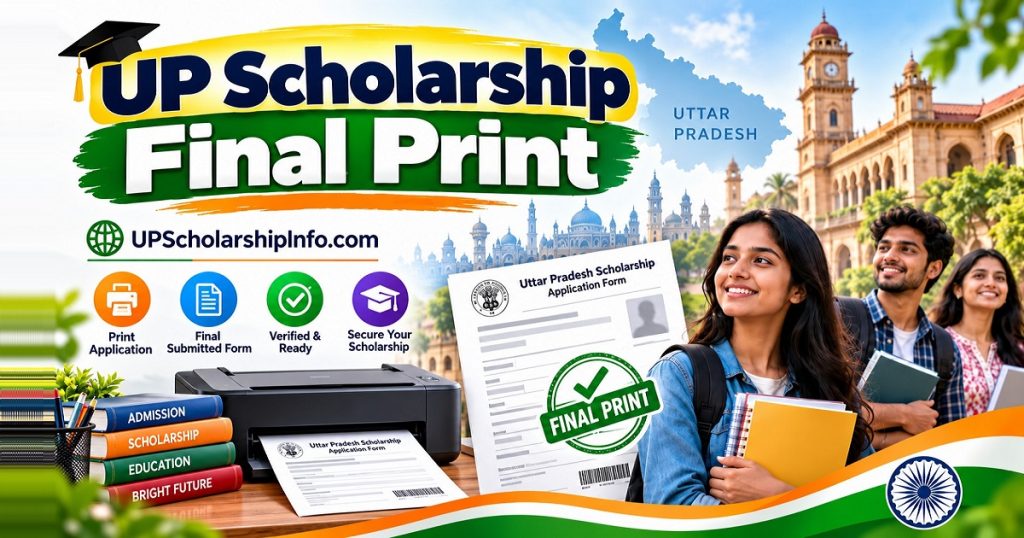
The UP Scholarship Final Print 2026–27 is the completed application form students download after final submission through the Uttar Pradesh Scholarship and Fee Reimbursement Online System. Students applying under Pre-Matric, Post-Matric Intermediate, and Dashmottar schemes can access their submitted forms through the official UP Scholarship portal.
To download UP Scholarship final print, open the Student section, choose your Fresh or Renewal login, select the correct scholarship category, and sign in using your application credentials. Once the final-print facility is available, download your application form PDF and submit the required hard copy to your school or college.
Latest update (November 4, 2026): Several previously published application and final-print deadlines have passed. Students should check the latest official notice for their category, especially if an extension has been announced. A deadline for online registration, final printing, and institutional hard-copy submission may be different.
Final Print 2026–27: Overview
| Particulars | Details |
|---|---|
| Scholarship | Uttar Pradesh Scholarship and Fee Reimbursement |
| Academic session | 2026–27 |
| Application type | Fresh and Renewal |
| Categories | Pre-Matric, Post-Matric Intermediate, Dashmottar |
| Form format | Printable application / PDF |
| Final print login | Student section |
| OTR | One-Time Registration, where required |
| Application status | Available through the official portal |
| Official website | scholarship.up.gov.in |
| Final-print deadline | Depends on scheme and revised schedule |
| Hard-copy submission | According to institution and scheme deadlines |
Downloading your completed application is an important step in the scholarship process. However, a final printout does not mean your application has been approved or that the scholarship payment has been released.
How to Download UP Scholarship Final Print PDF?
Students can download their completed scholarship application through the official government website.
- Visit scholarship.up.gov.in.
- Click the Student section on the homepage.
- Select Fresh Login or Renewal Login.
- Choose Pre-Matric, Post-Matric Intermediate, or Post-Matric Other Than Intermediate, as applicable.
- Enter your registration number, password, and any other requested details.
- Open your application dashboard and check the submission status.
- Complete final submission if it is pending and the relevant submission facility is still open.
- Select Final Print or the available application-print option.
- Download the form as a PDF and print the required pages.
Important: The final-print option may not appear immediately after submission. Follow the instructions displayed in your student dashboard rather than assuming it will become available after a fixed number of days.
If you cannot access your account, read our UP Scholarship Login Guide.
Official Final Print Download Link
The official website for downloading a UP Scholarship application is:
UP Scholarship Official Portal – Student Login
Choose the same scholarship category and application type used during registration.
| Student category | Correct login |
|---|---|
| Class 9 and 10 | Pre-Matric Fresh / Renewal |
| Class 11 and 12 | Post-Matric Intermediate Fresh / Renewal |
| UG, PG, ITI, Diploma | Post-Matric Other Than Intermediate Fresh / Renewal |
| Eligible Other State applicants | Applicable Other State login |
Students should avoid entering registration numbers, passwords, Aadhaar information, or OTPs on unofficial websites.
What Is the UP Scholarship Final Print Last Date 2026–27?
The UP Scholarship final print last date depends on the scholarship category, application type, and applicable government timetable.
The previously reported schedules included the following dates:
| Scholarship category | Application type | Previously reported final-print deadline | Hard-copy deadline |
|---|---|---|---|
| Pre-Matric Class 9 | Fresh | October 19, 2026 (revised date reported) | October 22, 2026 |
| Pre-Matric Class 10 | Renewal | Separate print date not established | Follow renewal schedule |
| Post-Matric Intermediate Class 11 | Fresh | October 19, 2026 (revised date reported) | October 22, 2026 |
| Post-Matric Intermediate Class 12 | Renewal | Separate print date not established | Follow renewal schedule |
| Dashmottar | Fresh | November 2, 2026 (earlier published schedule) | November 4, 2026 |
| Dashmottar | Renewal | Separate print date not established | Follow renewal schedule |
Date verification notice: These are previously reported dates, not a newly confirmed complete government timetable. Earlier schedules also listed September 30 for Class 9–12 Fresh final printing and October 5 for hard-copy submission. Check the latest official notice before relying on any deadline, particularly where a revised or extended schedule may apply.
Pre-Matric Final Print Last Date
Pre-Matric scholarship covers eligible students in Classes 9 and 10.
Fresh and Renewal applicants may have different deadlines. Students should use the correct application login and verify the current print and hard-copy submission schedule with their school.
Read the Pre-Matric Scholarship guide for additional information.
Post-Matric Intermediate Final Print Last Date
Post-Matric Intermediate covers eligible students in Classes 11 and 12.
The revised Fresh application schedule previously reported October 17, 2026, as the online application deadline, October 19 as the final-print deadline, and October 22 as the hard-copy submission deadline.
Renewal applicants must follow their own schedule rather than using Fresh application deadlines.
Dashmottar Final Print Last Date
Dashmottar, also called Post-Matric Other Than Intermediate, covers eligible higher-education courses, including undergraduate, postgraduate, diploma, and ITI programs.
The earlier published schedule listed:
- Online Fresh application deadline: October 31, 2026.
- Final-print deadline: November 2, 2026.
- Hard-copy submission deadline: November 4, 2026.
- Institution verification deadline: November 10, 2026.
These dates may be superseded by a revised government notice. Students should verify the latest Dashmottar timetable through the official portal and their institution.
For more details, visit our Post-Matric Scholarship Guide.
How to Download the Fresh Application Final Print?
Students using Fresh registration should open the Fresh Login for their scholarship category.
After signing in, review the submitted application, confirm that final submission has been completed, and download the final print when the option becomes available.
Check your name, institution, course, marks, certificate information, and bank details before completing final submission.
Save your application PDF and registration number for future use.
How to Download the Renewal Application Final Print?
Renewal applicants should use the Renewal Login instead of starting a new Fresh application.
- Open the Student section of the official portal.
- Select the appropriate Renewal Login.
- Enter the requested registration and login details.
- Check your current academic information and updated application fields.
- Complete the required renewal submission steps.
- Download the final application copy when available.
If you are unsure which registration number to use, check your previous scholarship records and the instructions displayed in the Renewal Login.
Draft Print vs Final Print: What Is the Difference?
| Draft Print | Final Print |
|---|---|
| Used to review entered details | Reflects the finally submitted application |
| May be available before submission | Available according to the final submission and print process |
| Helps identify errors | Used for institutional records and verification |
| Does not prove final submission | Indicates the application has reached the relevant print stage |
| May allow corrections before locking | Changes depend on official correction facilities |
Do not submit a draft copy in place of the required final application printout.
Why Is My Scholarship Final Print Not Showing?
If the final-print option is unavailable, check the following possible reasons.
1. Application Is Still in Draft
A saved application is not necessarily a finally submitted application. Check whether the dashboard shows that the form has been completed and submitted.
2. Final Print Is Not Available Yet
The portal may make printing available after a processing interval. Check the instructions in your dashboard and the applicable deadline.
3. Wrong Fresh or Renewal Login
Selecting the wrong application category may prevent you from accessing your submitted form. Return to the Student section and choose the correct login.
4. PDF Is Not Downloading
If the print option is visible but the PDF does not open, check your browser downloads, pop-up settings, and PDF viewer. Try another browser if necessary.
5. Portal Is Not Working
Heavy traffic, maintenance, or temporary technical problems may prevent access. Try again later and contact your institution if the deadline is approaching.
6. Incorrect Details After Final Submission
If you find a mistake in your submitted form, check whether an official correction window is available. Do not assume that you can unlock or edit a finally submitted application.
Read our UP Scholarship Correction guide for the correction process.
What Documents Are Required With the Final Print?
Depending on your scholarship scheme and institutional requirements, you may need:
- Signed final application printout.
- Aadhaar card copy.
- Income certificate.
- Caste or category certificate, where applicable.
- Previous examination marksheet.
- Admission or fee receipt.
- Bank details or supporting documents, where requested.
- Additional certificates specified by the institution.
Make sure all copies are readable and match the information entered in your application.
Your school or college may require self-attested documents or additional institutional forms.
How to Submit the Final Print to Your School or College?
After downloading the scholarship form, print all required pages and sign wherever instructed.
Attach the necessary supporting documents and submit the application package to the designated scholarship office before the applicable deadline.
Ask for an acknowledgement or receiving stamp when available.
Remember: Downloading the final print, submitting the hard copy, and completing institution verification are separate stages.
Can You Download the Final Print on a Mobile Phone?
Yes. Students can generally access the official portal through a compatible mobile browser.
Open the Student Login, access the completed application, and download the PDF if the option is available.
Check that the downloaded file contains every required page before sending it for printing.
Avoid sharing your password or OTP with printing shops or other third parties.
Can You Download the Final Print After the Last Date?
The availability of the print facility after the notified deadline depends on the official portal.
If your deadline has passed, log in and check whether the submitted application can still be viewed or downloaded.
If the hard-copy submission deadline has also passed, contact your institution for guidance.
Downloading a form after the deadline does not automatically mean late institutional submission will be accepted.
Is an OTR Number the Same as the Application Registration Number?
No. One-Time Registration (OTR) and scholarship application registration are related but distinct processes.
An OTR number is associated with the one-time registration process, whereas application registration details identify the relevant scholarship application.
Students should follow the login instructions displayed on the official portal and use the requested credentials.
If you have forgotten your registration details, see our Forgot Registration Number Guide.
How to Check Application Status After Final Print?
After submitting the printed application, students should monitor their application status through the official portal.
- Visit scholarship.up.gov.in.
- Open the relevant Student Login or Status facility.
- Enter the requested credentials.
- Check the application and institution verification status.
- Review any displayed objection, correction, or rejection message.
An application may need to pass institution verification and further scrutiny before final approval.
Students can also read our UP Scholarship Payment Status guide for information about payment tracking and PFMS.
Note: Aadhaar-linked bank account and NPCI/DBT verification requirements may be relevant to payment processing, but they are not the same as downloading the final print.
Frequently Asked Questions
How can I download my UP Scholarship final print?
Visit scholarship.up.gov.in, select the appropriate Fresh or Renewal Student Login, enter your credentials, and download the final application form when the print option is available.
What is the last date for the final print in 2026–27?
The deadline varies by scholarship category and application type. Students should check the latest official timetable because earlier reported deadlines may have been revised.
Can I download the scholarship final print without a registration number?
You generally need the credentials requested by the official portal. Check your saved application records or use the available recovery process if you have forgotten your registration number.
Why is my final print option not showing?
Possible reasons include incomplete submission, the print facility not yet being enabled, incorrect login selection, or a temporary portal problem.
Can I download the final print again?
Yes, if the print facility remains available. You can also reprint a previously saved PDF.
Is the final print mandatory for school or college submission?
Where the applicable scholarship scheme requires hard-copy submission, students must provide the completed application and supporting documents according to institutional instructions.
Can I correct mistakes after downloading the final print?
Corrections depend on the official correction window and the facilities available for your application. Contact your institution if you cannot access the correction option.
Does final print mean the scholarship is approved?
No. Final printing is part of the application process. Approval depends on the required verification and scrutiny stages.
Conclusion
The UP Scholarship Final Print 2026–27 allows Fresh and Renewal applicants to obtain their completed application form through the official scholarship portal.
Students should use the correct login, confirm final submission, download the application PDF, and submit the required documents to their institution according to the applicable schedule.
Because deadlines differ across Pre-Matric, Post-Matric Intermediate, and Dashmottar schemes, always check the latest official notification before relying on an earlier timetable.
For additional guidance, visit our UP Scholarship Information Hub.